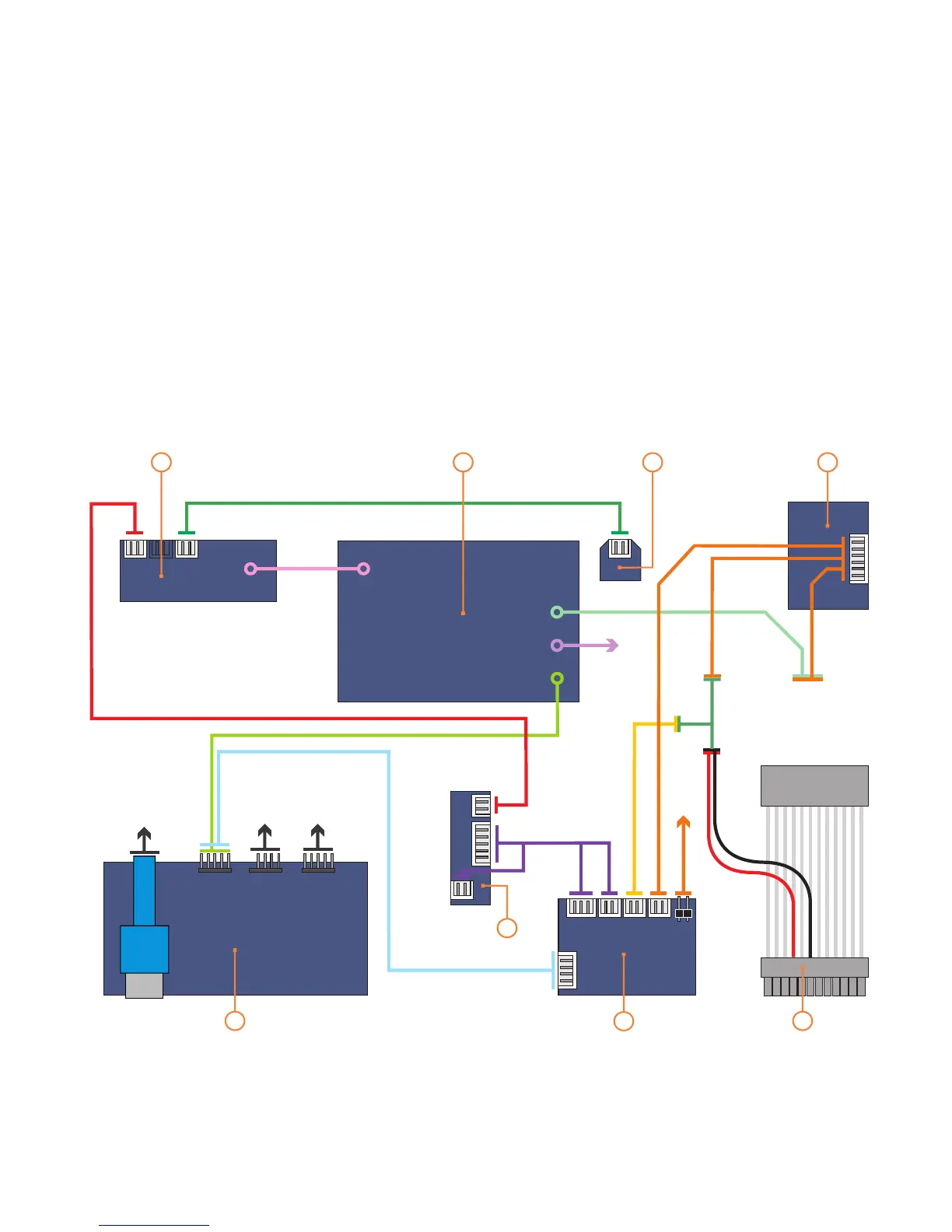
PCB/cable reference diagram
This is a general overview illustrating
how the internal PCBs in the S16T
interconnect. Please refer to your
motherboard manual for the location
of the correct ports and header pins.
1 - TFT control button PCB
2 - TFT control (AD) board
3 - TFT [external] power on/off
4 - Main power button PCB
5 - IR receiver PBC
6 - Card reader/USB hub PCB
7 - IR310 iMON IR control PCB
8 - Standby ATX power cable
MOLEX
[to PSU]
M/B
SWITCH
1
6
8
7
2
3
4
VGA
5
12V
VGA
USB
9
M/B
[USB]
M/B
[audio]
M/B
[USB 3.0]
S-FRIO-P6
M/B
SWITCH
IR310


 To Next Page