EasyManua.ls Logo

Orivision DH931 - User Manual

Default Icon
27 pages
Print Icon
To Next Page IconTo Next Page
Loading...
DH931/DH921/DS931/DS951/1RU Rackmount/3RU Rackmount
Video Decoder
User Guide
2023
Question and Answer IconNeed help?

Do you have a question about the Orivision DH931 and is the answer not in the manual?

Summary

Product Overview

HDMI;VGA;CVBS 4 K Decoder (DH931)

DH931: 4K&HD audio/video decoder, supports multi-channel streams to HDMI/VGA/CVBS output.

HDMI;VGA 4 K Decoder with Bi-directional Audio (DH921)

DH921: 4K&HD audio/video decoder, supports bi-directional audio transmission to HDMI/VGA.

SDI Video Decoder (DS931;DS951)

DS931&DS951: HD audio/video decoders supporting H.265/H.264 to SDI output.

1 RU;3 RU Rackmount Series

Rackmount series: 1RU or 3RU frames supporting mixed decoder modules for IP video deployments.

Product Parameters: ZY-DH931

Detailed technical specifications for the ZY-DH931 video decoder, including input, output, and protocols.

Product Parameters: ZY-DH921

Detailed technical specifications for the ZY-DH921 video decoder, including input, output, and protocols.

Product Parameters: ZY-DH931 & ZY-DS951

Detailed technical specifications for ZY-DH931&ZY-DS951 decoders, including resolution and capabilities.

Initial Installation and Connection

Connecting the Power

Instructions for connecting the power adapter or using POE to power the device.

Connecting a Displayer

Guide on connecting the decoder to a display device using HDMI, VGA, or CVBS cables.

Connecting to Users Computer

Steps to connect the decoder to a computer using a network cable for configuration.

Logging into Control Web Interface

Procedure to access the decoder's web interface by entering its IP address (192.168.0.35).

Control Web Interface

Status Monitoring

Shows status information of input, output, RTMP, and relay for the decoder.

Network Settings

Allows users to modify the decoder's network IP address and DNS settings.

Decoding Settings

Configuration for input, output, relay, and OSD settings of the video decoder.

Relay Configuration

Configure forwarding of decoded streams to RTMP/RTMPS or UDP/RTP protocols.

Built-in RTMP Server

Information on the built-in RTMP server address and application functions.

OSD (On-Screen Display)

User can upload station logo or picture via OSD, supporting JPG format.

System Settings

Includes changing login password, viewing system information, and configuring auto-reboot.

Firmware Upgrade

Instructions for upgrading the decoder firmware, contact support for the file.

System Reboot and Reset

Options for rebooting or resetting the decoder to factory initialization.

Connecting Decoder to Internet

Filling Stream Addresses

Setting up SRT

Overview

This document outlines the features and usage of ORIVISION Video Decoders, including the DH931, DH921, DS931, DS951, and their 1RU/3RU Rackmount versions. These devices are professional hardware decoding products designed for various video and audio applications.

Function Description

The ORIVISION Video Decoders are primarily designed to decode multi-channel network video streams and output them as standard video signals. They support a wide range of input stream protocols, including IP-Camera, RTSP, RTMP, RTMPS, SRT, HTTP unicast, and multicast media streams. The output capabilities vary by model:

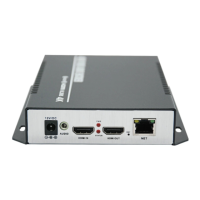
  • DH931 (HDMI/VGA/CVBS 4K Video Decoder): Decodes network video streams to HDMI, VGA, or CVBS signal video output. It supports a maximum resolution of 4K@30Hz UHD.
  • DH921 (HDMI/VGA 4K Video Decoder with Bi-directional Audio): Similar to the DH931, it decodes to HDMI or VGA signal video output with a maximum resolution of 4K@30Hz UHD. A key distinguishing feature is its support for bi-directional audio transmission.
  • DS931/DS951 (SDI Video Decoder): These models are designed for HD audio and video hardware decoding, supporting H.265/H.264 decoding and outputting up to HD/1080P@60Hz resolution via SDI. The DS951 specifically extends support to non-standard definitions like 480i@60Hz and specific frame rates such as 59.94/29.97.

All decoder models support multi-channel video stream split-screen functionality for display walls and dynamic switching between streams. They also feature a built-in LCD screen for real-time monitoring of transmission status.

A significant feature across all models is the embedded RTMP server. This allows the decoders to function as small streaming media servers, making them suitable for multimedia publishing systems, digital billboards, signal publishing platforms, and other high-definition video systems.

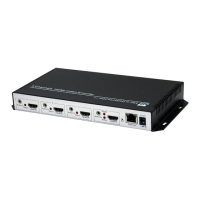
The rackmount series (1RU and 3RU) offers a scalable solution, allowing for a mix of HDMI, SDI, VGA, and CVBS decoder modules. The 1RU frame can accommodate 4 channels, while the 3RU frame supports 16 channels. These rackmount units are equipped with redundant power modules and centralized heat dissipation, ensuring stable operation over extended periods and supporting IP video deployments of varying sizes and complexities.

Usage Features

The decoders are designed for straightforward initial installation and connection.

  1. Power Connection: Devices can be powered using the standard DC12V/1A power adapter. For POE-enabled models, power is supplied directly through the network cable.
  2. Display Connection: Users can connect the decoder to a display device (monitor, electronic screen) using HDMI, VGA, CVBS, or SDI cables, depending on the model. Note that DH931 and DH921 models do not support simultaneous output of HDMI, VGA, or CVBS; users must choose one output.
  3. Computer Connection: The decoder can be directly connected to a user's computer via a network cable for configuration.
  4. Web Control Interface: The decoder is managed through a web-based interface, accessible by entering the default IP address (192.168.0.35) into a web browser. The default login credentials are "admin/admin".

The web control interface provides comprehensive settings for managing the decoder:

  • Status: Displays real-time information about input, output, RTMP, and relay status.
  • Network Settings: Allows users to modify network parameters such as IP address, subnet mask, gateway, and DNS. After any changes, a reboot is required for the settings to take effect.
  • Decoding Setting: This section is central to the decoder's operation, allowing configuration of input streams, output parameters, relay functions, and On-Screen Display (OSD).
    • Input Settings: Users can specify the media URL for the stream to be decoded. The number of input address bars displayed depends on the "output window" setting. For example, an "output window" of 1 shows one input address bar, 2x2 shows four, and 3x3 shows nine.
    • Output Settings: Configures the output type (HDMI, VGA, CVBS, SDI), audio source, audio output, output resolution, and output window layout (1, 2x2, or 3x3). It also allows adjustment of audio volume, luma, contrast, hue, and saturation.
    • Relay: This feature enables forwarding of the decoded stream to other RTMP/RTMPS or UDP/RTP protocols. Users can enable or disable local output. When forwarding to an RTMP server, users input the RTMP server address and stream key/name. For UDP/RTP forwarding, the UDP or RTP address is entered.
    • Built-in RTMP Server: The decoder's built-in RTMP server address (e.g., rtmp://192.168.0.35/live) is displayed on the status page. This allows video streams to be pushed to the decoder via OBS or other encoders in the LAN, and then played back by other decoding devices.
    • OSD (On-Screen Display): Users can upload station logos or pictures (JPG format, 1280x720 resolution supported) to be displayed on the output.

Connecting to the Internet: To connect the decoder to the internet, users need to ensure the decoder is on the same network segment as the signal source (e.g., IP camera or router). This involves changing the decoder's default IP address and gateway to match the network's configuration, then rebooting the device.

Stream Address Input: The decoder supports various stream protocols including HTTP, RTSP, RTMP, UTP, UDP/RTP, and SRT. Users can input the stream address directly into the "Media Url" box in the input settings, then apply and reboot. Examples for different protocol formats, including encrypted streams and SRT server/caller modes, are provided.

Maintenance Features

The decoders include several features to facilitate maintenance and ensure reliable operation:

  • System Settings:
    • Change Password: Allows users to modify the login password for the web interface, enhancing security.
    • System Information: Provides details such as the device serial number, firmware version, and hardware version, which are crucial for troubleshooting and support.
    • Auto Reboot: This function allows scheduling automatic reboots after a specified number of hours. This can be enabled or disabled as needed, helping to maintain system stability.
  • Upgrade Settings: Users can update the device firmware by contacting support to obtain the newest firmware file. The file is then uploaded directly through the web interface, followed by a decoder reboot. It is important not to decompress the firmware file or interrupt the upload process.
  • System Settings (Reset/Reboot):
    • Reset Button: Used for initializing the system to its default factory settings.
    • Reboot Button: Allows for remote restarting of the decoder, which is useful for applying changes or resolving minor issues without physical access.

These features collectively ensure that the ORIVISION Video Decoders are not only powerful in their primary function of video decoding but also user-friendly in their setup, operation, and ongoing maintenance.

Orivision DH931 Specifications

General IconGeneral
CategoryMedia Converter
Power Supply5V DC
ModelDH931
Fiber TypeSingle Mode
Output InterfaceFiber Optic

Related product manuals