Need help?
Do you have a question about the Orivision EH404 and is the answer not in the manual?
Details the professional hardware video and audio encoder, its encoding capabilities, and supported protocols.
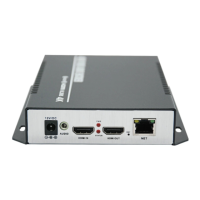
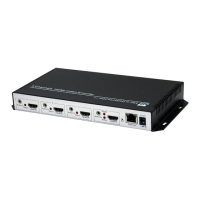
Illustrates the physical appearance and ports of the EH404 and EH408 encoder models.
Lists the detailed technical parameters for video, audio, network, and general aspects of the encoder.
Explains how to connect the power adapter to the EH404 and EH408 encoder units for operation.
Guides on connecting the encoder's output to a display device using HDMI, VGA, or CVBS cables.
Details connecting the encoder to a computer via a network cable for initial configuration.
Instructs on accessing the encoder's web interface using its default IP address for management.
Displays the current input and output status information for each group of the encoder system.
Covers settings for modifying the encoder's network IP address and DNS configuration for connectivity.
Configures video and audio settings, including encoder type, resolution, bitrate, and stream output.
Details configuration options for various streaming protocols like HTTP, RTSP, HLS, and RTMP.
Allows users to add text and images (logos) onto the video stream via On-Screen Display settings.
Covers modifying login password, checking system information, and configuring auto-reboot and NTP.
Guides on configuring the encoder's network settings to connect to the internet via a router.
Provides instructions for live streaming to platforms like YouTube and Facebook using RTMP/RTMPS protocols.
Details how to configure the encoder in Listener mode for SRT streaming, including port and delay settings.
Explains the configuration for SRT streaming in Caller mode, including server IP, port, and optional passphrase.
 General
| Type | Media Converter |
|---|---|
| Model | EH404 |
| Connector Type | SC |
| Wavelength | 1310nm |
| Operating Temperature | 0°C to 50°C |
| Fiber Type | Single Mode |
| Humidity | 5% |

 To Next Page