25
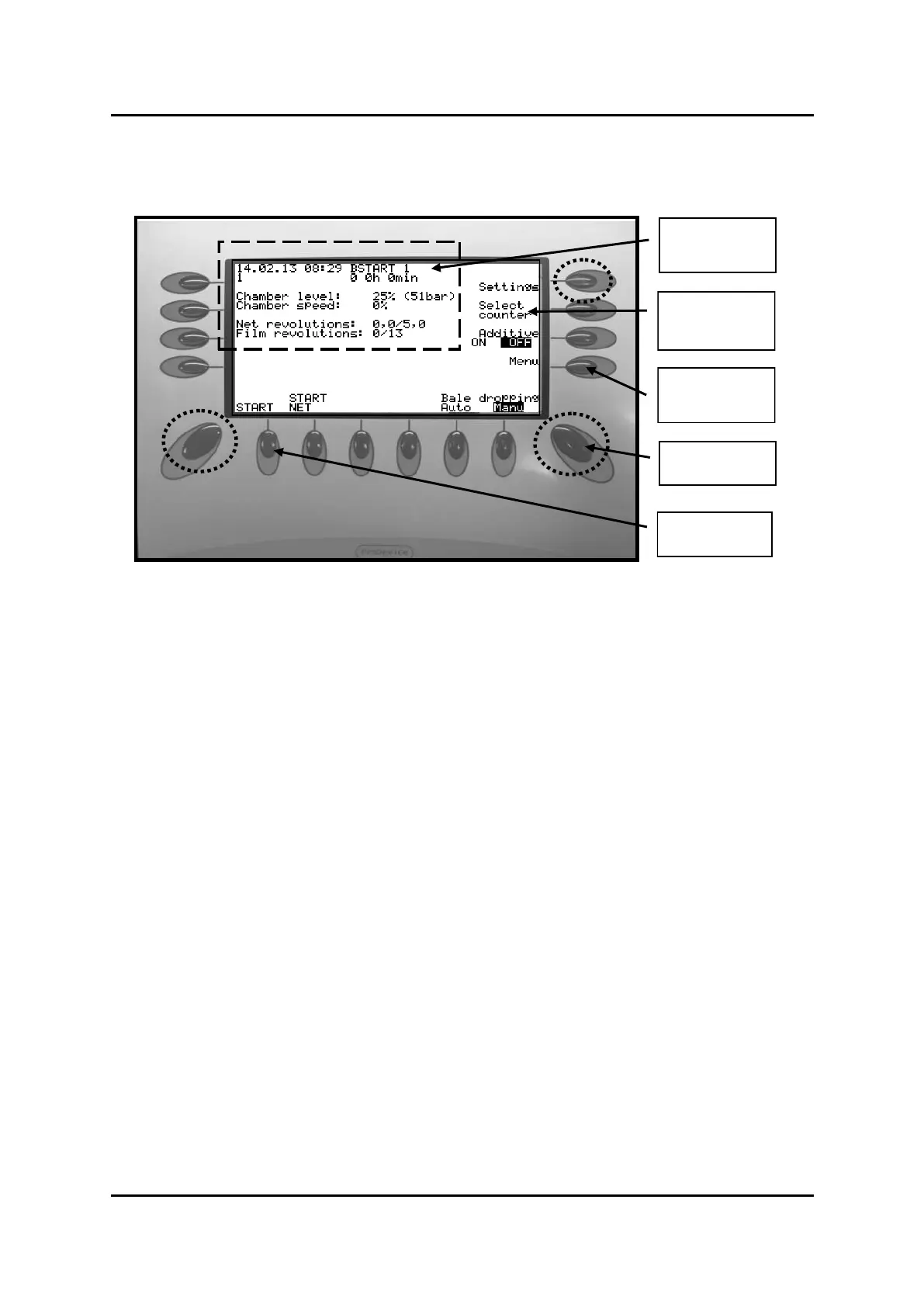
This chapter gives you a simple introducon to the control box. This to make you get started quickly.
Soware described in this chapter is:
Display informaon about status in dierent menus. Also me, date and counters
-
Display machine informaon, on each funcon in chosen menu.
By pressing buon near/under desired funcon, the funcon is acvated.
Used for switching between main menus
-
Use to cancel a on-going process, leave a menu or go back to start menu.
-
If the programme stop by any reason (e.g. overload), you might complete the interrupted cycle manually to
unload the bale. To get started in “AUTO” again, the control box must be restarted.
. No data is lost.
To run funcons manually, the sensors must be deacvated.
Press once. Then press and simultaneously . Text: Sensors
deacvated is displayed on screen. Funcons can now be run manually.
Press -once to acvate sensors.
-
-


 To Next Page
 Loading...