EasyManua.ls Logo

ORKEL MP 2000 - Control Box Advanced Settings

Default Icon
96 pages
Print Icon
To Next Page IconTo Next Page
To Previous Page IconTo Previous Page
Loading...
28


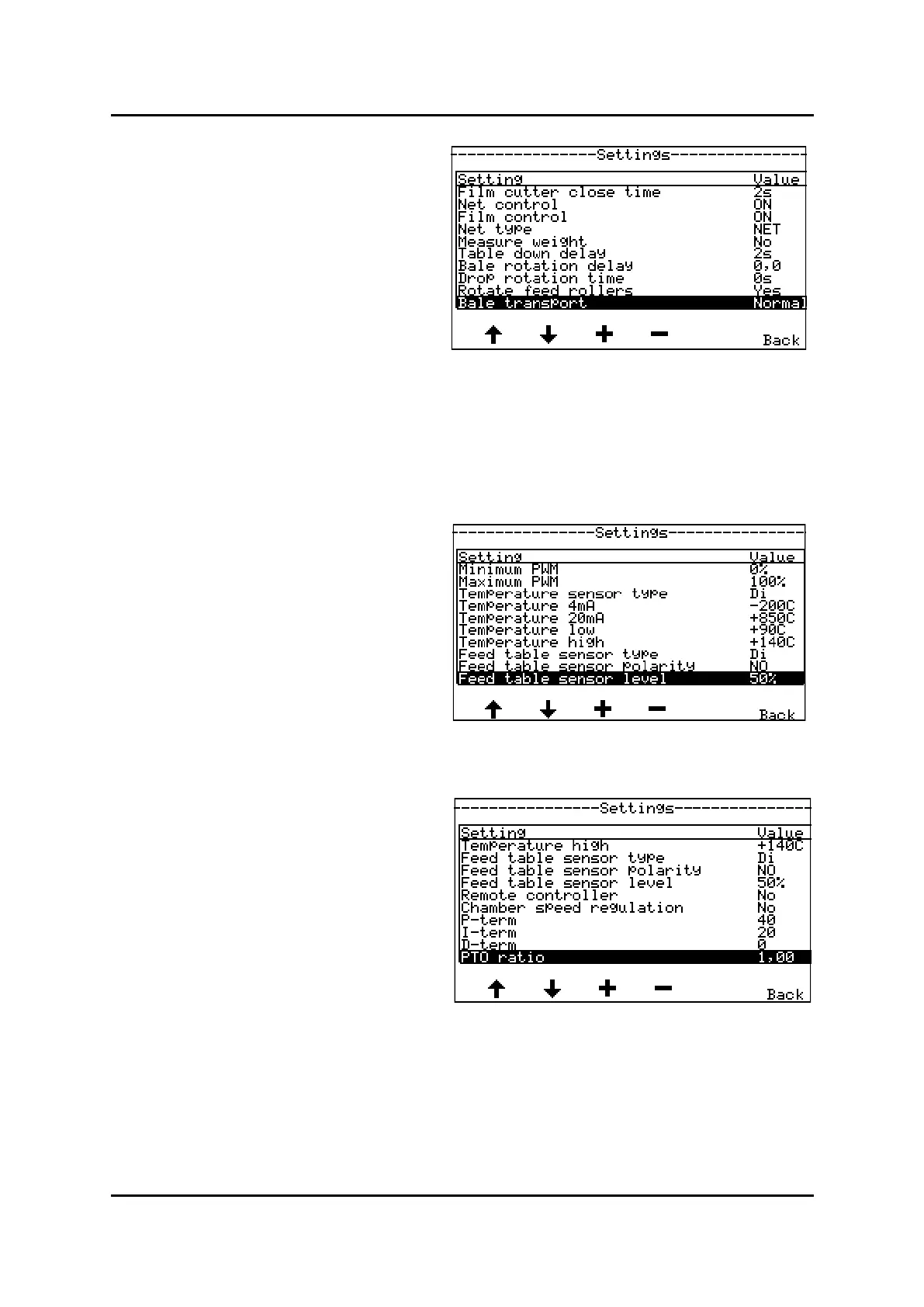
To get access to more parameters in menu sengs:
Enter menu Sengs as shown in picture 1 on previ-
ous side.
Press upper and lower buons on le side simulta-
neously. New parameters will now appear in dis-
play.
See picture 1 and 2 to the right, to see advanced
parameters to be changed.

Menu, Advanced sengs picture 1
Menu Sengs, picture 3
Menu, Advanced sengs picture 2

Related product manuals