7
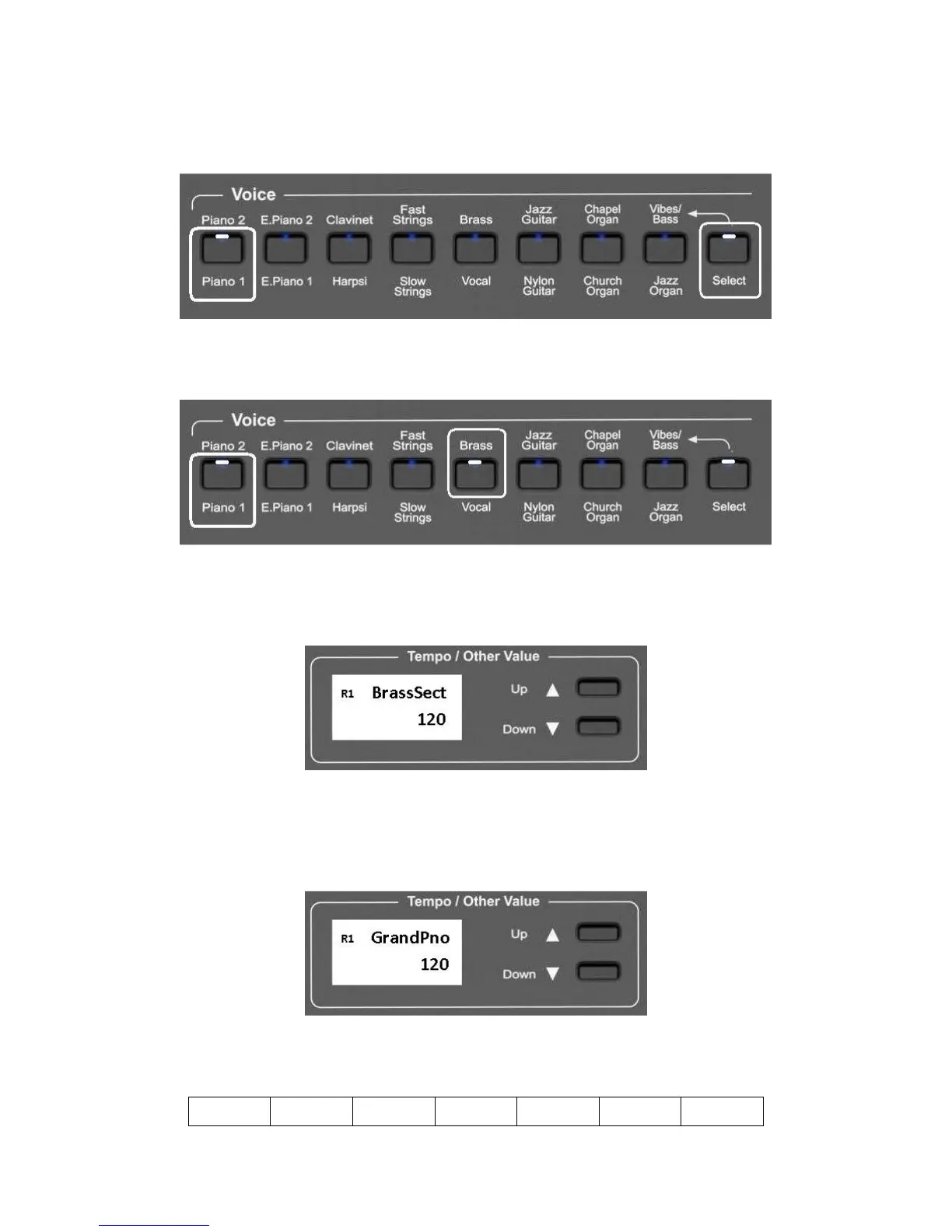
It is also possible to play two sounds at the same time, selecting them from the top and the bottom
row, for example PIANO 1 and BRASS.
- To select the PIANO 1 sound press and hold the related button.
-
While holding down the PIANO 1 button also press the SELECT button to select the upper
row.
-
Release now the SELECT button and while holding the PIANO1 button press the BRASS
button .
-
The two sounds are now selected and they can be played at the same time.
As soon as the second sound is selected the display will indicate
NOTE – When the display indicate R1 = Right1 (Sound 1). When the display indicate R12 = Right1
(Sound 1) + Right2 (Sound 2).
A few seconds after the BRASS button is pressed, the display will change to the main sound page
It is now possible to balance the two sounds using the (/\) UP and (\/) Down DATA buttons . Try
the different volume settings as per below table:
4 - 1 4 – 2 4 - 3 4 – 4 3 - 4 2 - 4 1 - 4



 To Next Page