Universal Series
MODEL ODD-110
Instruction Manual
1-888-543-6473
1-888-541-6474
13376 Comber Way
Surrey BC V3W 5V9
info@ortechindustries.com
www.ortechindustries.com
375 Admiral Blvd
Mississauga, ON L5T 2N1
OPERATION
For Dual Speed Setting
To Turn Fan ON
Turn the switch (according to CONNECT WIRING on page 4) ON.
• Fan will run at the certified airflow rate if the switch II is ON
• Fan will run at the user-adjustable airflow rate if the switch II is OFF
OPERATION
To Use Fan Time Delay Airflow Rate Change
1. Turn the switch I ON
2. Turn the switch II ON — fan will run at the certified airflow rate
3. When the switch II is turned OFF, fan will continue to run at the
certified airflow rate until the user-adjustable time delay has
elapsed, and then will automatically change to the user-
adjustable airflow rate
To Turn Fan OFF
Turn the switch I OFF
For Single Speed Setting
Use switch to operate this fan. See CONNECT WIRING on page
4 for details (see Fig.2 on that page 4 of this manual)
INSTALLATION GUIDE
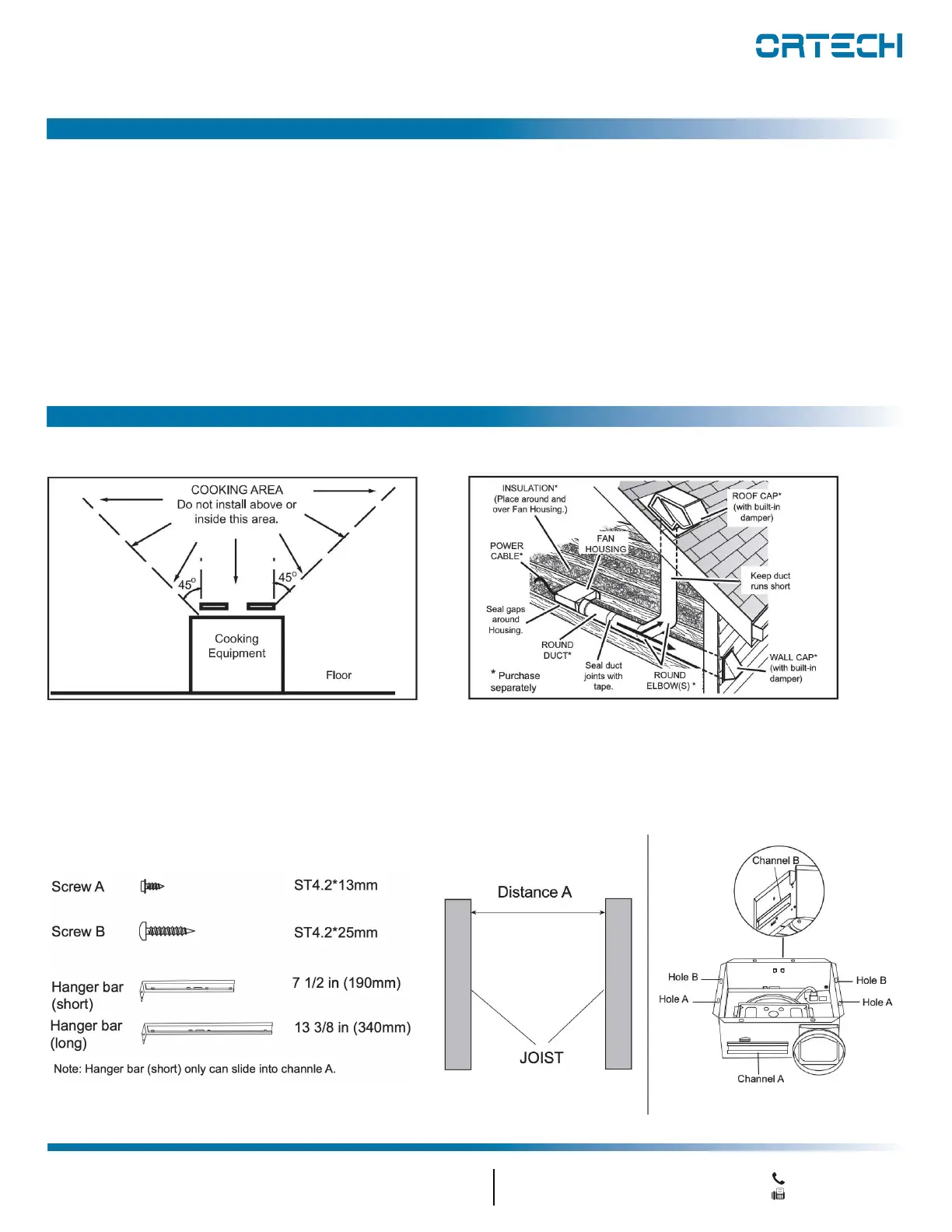
1. DO NOT use in a cooking area
2. Two ways to connect ductwork to a factory-shipped unit
Assembly Instructions
1. Before installation, you need to know:
Plan the Installation


 To Next Page