Orthomate™ - User Manual Page 8 of 12
©2017 StrideOn Ltd
CONGRATULATIONS! Your Orthomate™ is now setup!
Next read the Operating Instructions and Safety & Maintenance information before using your Orthomate™.
Operating Instructions
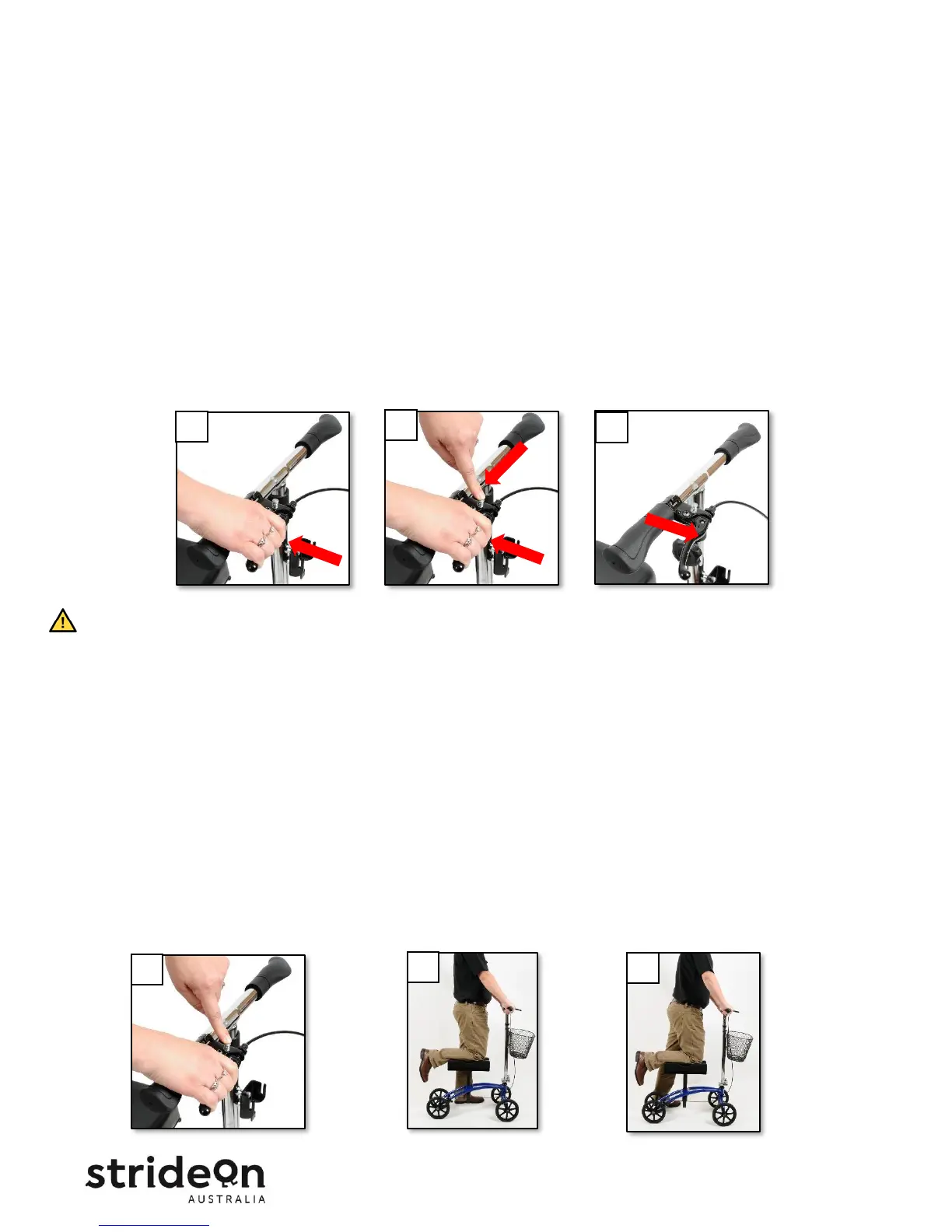
Using the hand brake
• With the palms of your hands resting on the handlebar grips, reach your fingers forward to the brake
handle and squeeze the handle back toward the grip (Figure 6A).
• The harder you squeeze the handle the more braking power you apply to the rear wheels.
• To engage the Parking Brake, squeeze the brake handle and push the silver button down until the handle
stays locked in position. (Figure 6B).
• To release the Parking Brake, squeeze the brake handle and then release your fingers. The handle will
return to the normal position (Figure 6C).
• Always engage the Parking Brake before mounting or dismounting the Knee Scooter.
• Avoid sudden stops - apply the brake gradually to slow the unit in combination with using your
uninjured leg to assist stopping.
• The brake is designed to slow you down, it will not bring you to a complete stop quickly.
How to use your Orthomate™ Knee Scooter
• Always engage the Parking Brake before mounting and dismounting the Knee Scooter (Figure 7A).
• Grasp the handlebar grip and rest the knee of your injured leg on the center Knee Pad (Figure 7B).
• Balance your weight between the knee rest and your uninjured leg.
• Release the Parking Brake and use your uninjured leg to push forward in slow controlled walking steps (Fig. 7C).
• Keep your body weight centered over the Knee Pad as you move. Never go faster than a slow walking pace.


 To Next Page