EasyManua.ls Logo

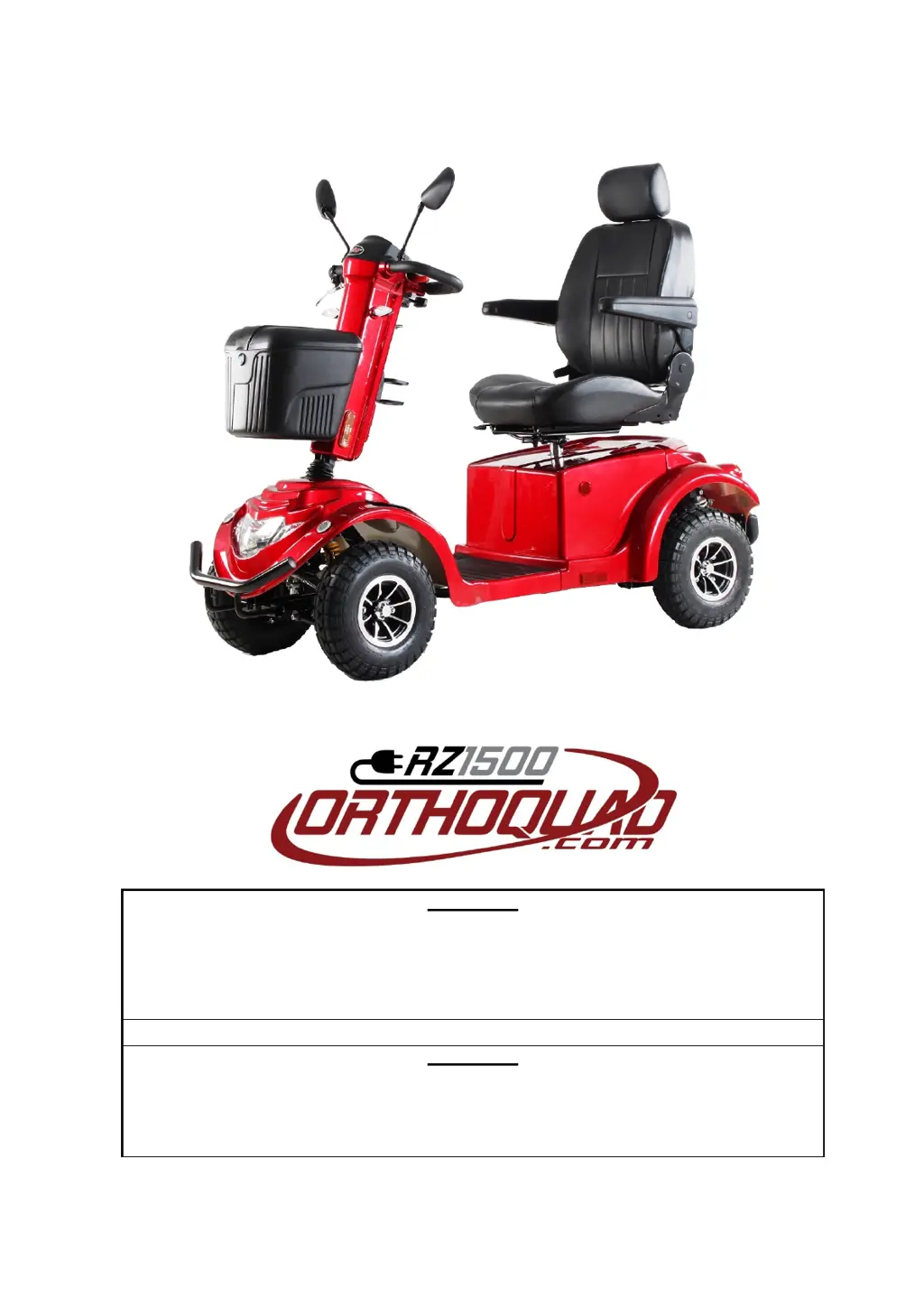
Orthoquad RZ1500 - User Manual

Orthoquad RZ1500
28 pages
Print Icon
To Next Page IconTo Next Page
Loading...
USER’S MANUAL
WARNING
Read the User Manual carefully before operating the RZ1500
If you do not fully understand any part of this manual, please contact your dealer or
any of our Service Centres.
Read this manual step by step, as injury or damage may occur from misuse!
WARNING
Electromagnetic Interference (“EMI”) can cause powered vehicles to behave
erratically, which could be dangerous to the user.
For your safety and protection, it is IMPERATIVE that you take time to read
Chapter 8 (“EMI WARNING”) before operating the RZ1500.

Questions and Answers

  • C
    Charles RodriguezAug 13, 2025
    What to do if my Orthoquad Scooter RZ1500 doesn't move when I squeeze the throttle?
    • C
      Chad LucasAug 13, 2025
      If your Orthoquad Scooter RZ1500 does not move when you squeeze the throttle control lever, first ensure that the key switch is turned ON. Then, check if the charger is connected to the charging socket and disconnect it. If the issue persists, it may indicate a control system failure, and you should call for technical support.
  • X
    xrobertsAug 17, 2025
    Why does my Orthoquad RZ1500 have intermittent drive?
    • J
      Jose SmithAug 17, 2025
      Intermittent drive in your Orthoquad Scooter can occur due to several reasons. First, ensure that the battery is fully charged for at least 18 hours. Then, remove the battery cover and inspect the battery connections for any faults or corrosion; if corroded, clean them with a damp cloth. If the red LEDs are still on, it could indicate a faulty battery, and you should contact your dealer for a replacement.
  • D
    Donald LambertAug 20, 2025
    Why does my Orthoquad RZ1500 Scooter slow down when going uphill?
    • P
      Paul JohnsonAug 20, 2025
      If your Orthoquad Scooter's speed reduces gradually when driving uphill or carrying heavy loads, it may be because the controller has become overheated. Stop driving and allow the controller to cool down.
  • G
    gcooperAug 25, 2025
    Why won't the light turn on when the key switch is ON in my Orthoquad RZ1500 Scooter?
    • R
      rschmittAug 25, 2025
      If the key switch is turned ON but the ON light does not come on for your Orthoquad Scooter, the main fuse may have popped due to an electrical fault. Try resetting the fuse. Important: Do not reset the fuse more than twice. If the issue continues, contact your authorized dealer for assistance.
  • L
    lmejiaAug 28, 2025
    How to fix a flat tyre on my Orthoquad Scooter?
    • G
      Gloria MyersAug 28, 2025
      If you experience a flat tire and unstable driving with your Orthoquad Scooter, it could be due to low air pressure or a puncture. In the case of low air pressure, pump the tire to the normal pressure. If there is a puncture, repair the tire.
  • M
    Michelle MckeeAug 31, 2025
    What to do if my Orthoquad Scooter RZ1500 takes too long to stop?
    • S
      srandallAug 31, 2025
      If your Orthoquad Scooter RZ1500 takes longer than 3 meters to stop after releasing the throttle control lever on a level surface, the controller may be faulty or out of adjustment. In this case, you should call for technical support.
  • N
    Nathan HicksSep 4, 2025
    Why is the headlight or rear light not lit on my Orthoquad RZ1500 Scooter?
    • Z
      Zachary FloresSep 4, 2025
      If the headlight or rear light on your Orthoquad Scooter is not lit, it is likely due to a burnt-out LED. Replace the LED to resolve this issue.
  • C
    chris10Sep 8, 2025
    How to fix an inoperative indicator light on my Orthoquad RZ1500?
    • R
      Robert FloresSep 8, 2025
      If the right or left indicator light is inoperative on your Orthoquad Scooter, it is likely due to a faulty LED light board. Replace the LED board to fix this.

Summary

Overview of the RZ1500 (Main Features)

Safety Symbols for the RZ1500

Safety Symbols and Warnings

Explains various safety symbols and warnings used in the manual.

Driving and Operational Safety

Provides safety advice for driving, cornering, and handling hot parts.

General Safety Precautions

Covers precautions like keeping tools away, disposal, and flammable materials.

Safety Instructions for RZ1500

General Safety Instructions

Emphasizes reading the manual and proper use of the scooter.

Modifications and Removable Parts

Warns against modifying the scooter and lifting by removable parts.

Pre-Ride Safety Check

Lists essential pre-ride checks for safe operation.

Tire Inflation and Weight Limitations

Details tire pressure requirements and maximum weight capacity.

Incline Information

Provides guidance on navigating inclines and ramps safely.

Maximum Recommended Incline Angles

Illustrates safe climbing angles for different weights.

Driving and Cornering Stability

Explains how to maintain stability during inclines and cornering.

Braking Systems

Describes the regenerative and park braking mechanisms.

Outdoor Driving Surfaces and Obstacles

Covers safe operation on various surfaces and avoiding obstacles.

Inclement Weather Precautions

Advises on precautions during rain, snow, or extreme temperatures.

Freewheel Mode Operation

Explains how to use the manual and electric freewheel levers.

Stairs, Doors, and Elevators

Safety guidelines for using stairs, doors, and elevators.

Lifts;Elevation Products

Warnings about using lifts with the scooter.

Battery Handling and Safety

Instructions for safe handling, connection, and disposal of batteries.

Motor Vehicle Transportation Safety

Guidelines for transporting the scooter in a vehicle.

Getting On;Off and Reaching;Bending

Safety tips for mounting, dismounting, and bending.

Prescription Drugs and Physical Limitations

Advises on medication and physical limitations affecting operation.

Smoking and Alcohol Use

Warnings against smoking and operating under alcohol influence.

Electromagnetic Interference (EMI;RFI)

Explains EMI risks and precautions for powered vehicles.

Operating Instructions for RZ1500

Key Switch and Handlebar Adjustment

Details the function of the key switch and how to adjust handlebars.

Charging Socket and USB Ports

Describes the scooter's charging socket and USB ports.

Control Panel Overview

Explains the battery status indicator and maintenance LED.

Speed Limit Dial

Details how to set and use the speed limit dial.

Speed Mode and Throttle Control

Explains speed selection and throttle lever operation.

Turning, Hazard, Buzzer, Lights

Describes operation of turn signals, hazard lights, buzzer, and lights.

Stopping and Safe Driving Practices

Guidance on stopping, driving on ramps, curbs, and sharp turns.

Climbing Obstacles and Pre-Use Checks

Procedures for climbing obstacles and performing pre-use checks.

Controller Programming and Load Limits

Information on controller programming and maximum load.

Charging the RZ1500 Batteries

Maintenance

Periodic Maintenance Procedures

Outlines regular maintenance tasks and their frequency.

Tires and Cleaning

Advises on tire pressure checks and cleaning methods.

Battery Replacement Procedure

Step-by-step guide for replacing scooter batteries.

Troubleshooting and Repair

Common Problems and Solutions

A table listing common symptoms, causes, and remedies.

EMI Warning

Understanding Electromagnetic Interference (EMI)

Explains EMI sources and their potential effects on powered vehicles.

EMI Prevention and Reporting

Provides warnings and guidelines to prevent EMI issues.

Specifications Sheet

Performance Data and Battery Specifications

Details performance metrics, battery, charger, motor, and dimensions.

Warranty

Two-Year and One-Year Limited Warranties

Outlines the terms of the limited warranties for components.

Warranty Exclusions and Service

Lists items not covered by warranty and how to obtain service.

Storage Instructions

Provides guidelines for storing the scooter and its batteries.

Orthoquad RZ1500 Specifications

General IconGeneral
BrandOrthoquad
ModelRZ1500
CategoryScooter
LanguageEnglish

Related product manuals