12
Preparation before use
In the event of power failure
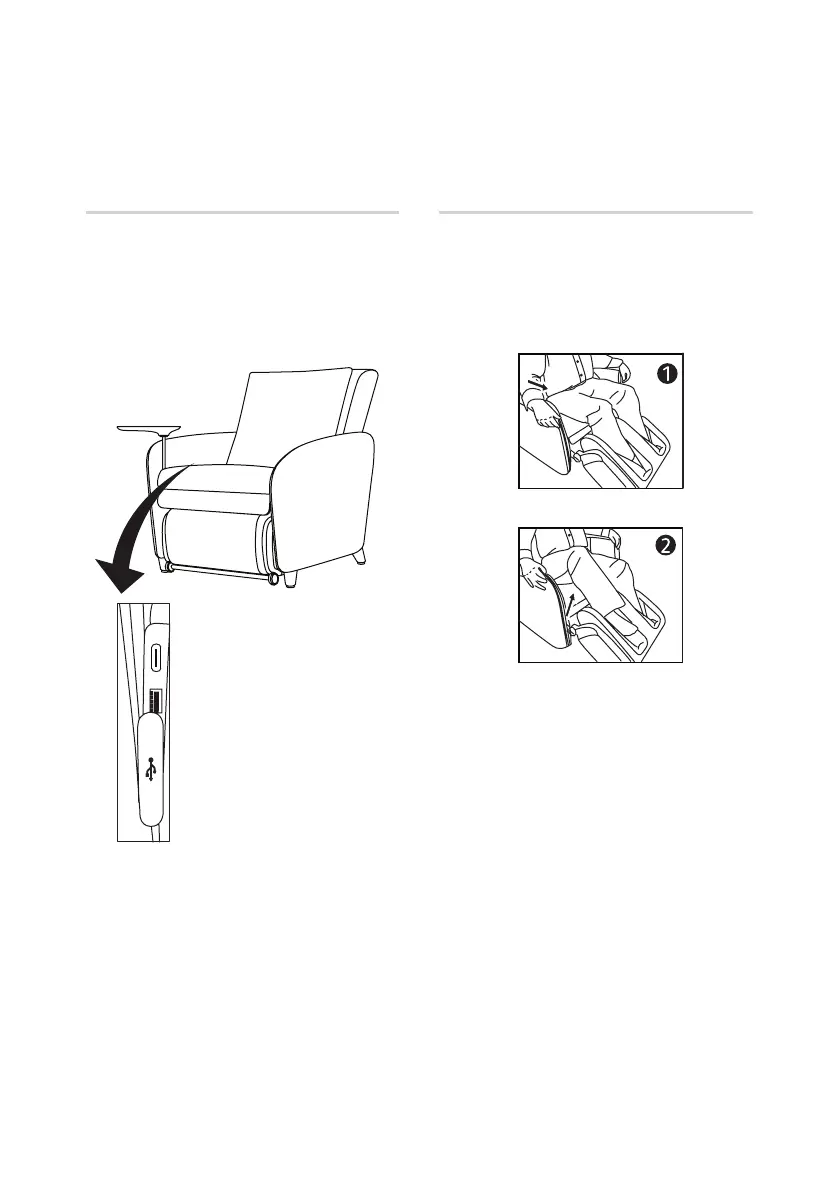
• With the support of the armrests, lift
and move your butt to the edge of the
seat as shown in Fig. 1.
• Lift your knees upwards and ease your
legs out as shown in Fig. 2.
• Turn off the main switch and
disconnect the power cord to prevent
any sudden operation if the power is
restored unexpectedly.
Using the USB port
• There are 2 USB ports to charge your
USB devices.
• Plug your USB cable into the USB
port, and the other end into your USB
device.


 To Next Page