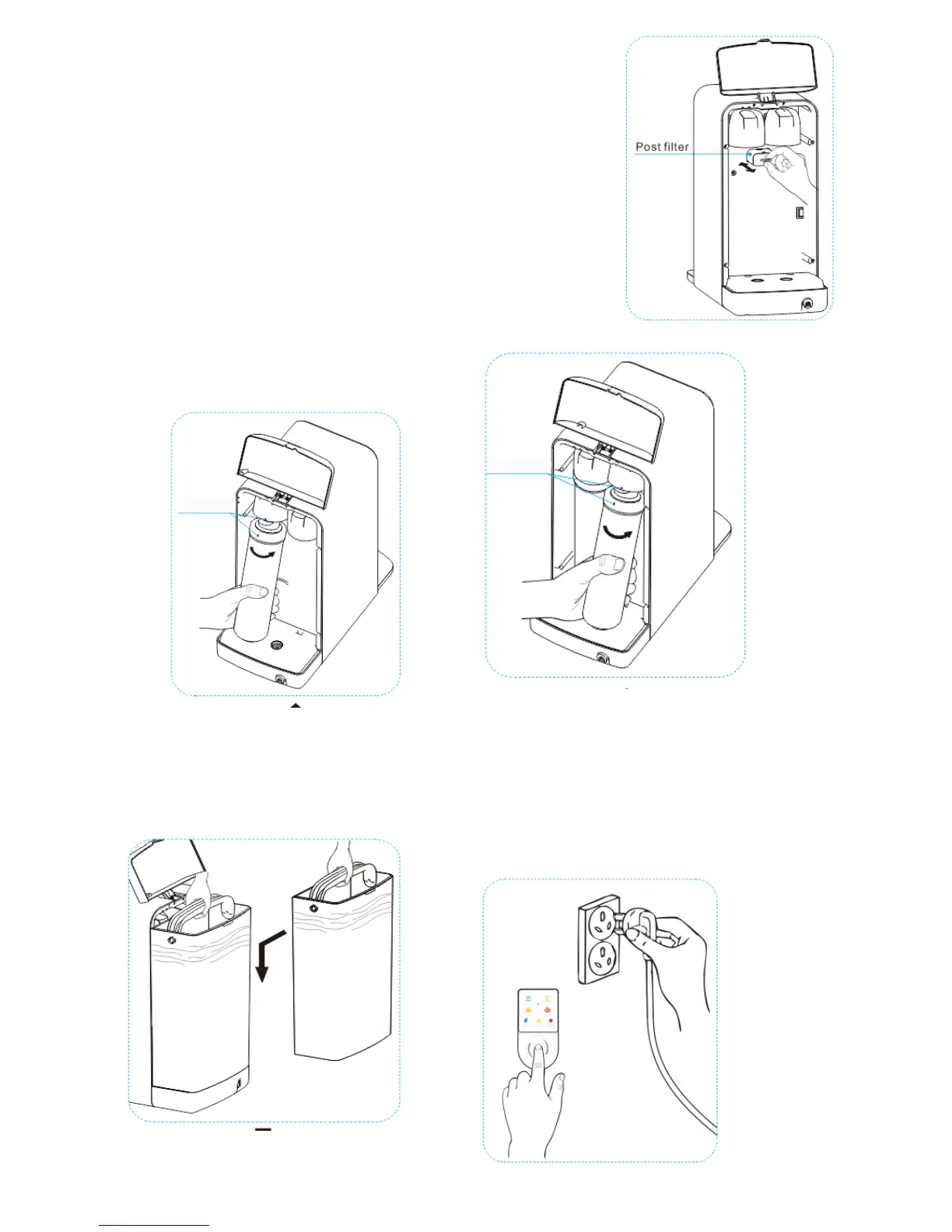
STEP 4 Pull out the Post Filter slowly
with your finger and insert a new
one fully.
STEP 5 Start with the new Carbon
Filter so the label is on the left hand side
twist the filter on anticlockwise.
Repeat the same with the
Membrane Filter.
STEP 6 Fill the Supply Pitcher
and place on the base and
close the lid.
STEP 7 Press and hold the button
and at the same time connect
the power plug to the socket.
The beep sound indicates the
filter reset has completed.


 To Next Page