
 Need help?
Do you have a question about the OSS EWS1 and is the answer not in the manual?
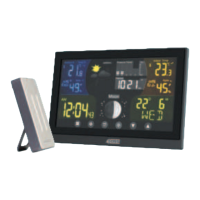
Describes the EWS1 Wireless Weather Station as an indoor/outdoor device monitoring temperature, pressure, and humidity, displaying current data and forecast.
Lists key features of the EWS1 Wireless Weather Station, including wireless connection, calendar, barometer, alarm clock, and more.
Details the various display fields and icons on the weather station monitor, referencing numbered components.
Provides detailed descriptions for numbered components of the weather station monitor, including buttons and display elements.
Lists the final components and features of the main weather station monitor unit.
Explains the components and features related to the wireless sensor, including hanging options and battery compartment.
Guides users on inserting batteries, placing the sensor, and initial pairing for the weather station and wireless sensor.
Explains how to change values using buttons and how settings are automatically saved on the weather station.
Details the process of pairing wireless sensors by pressing buttons, setting sensor switches, and confirming connection.
Explains how to cycle through data from connected wireless sensors and activate/deactivate automatic cycling.
Describes how to set the year, date format, month, day, time format (12/24H), hour, minute, and second.
Explains how to set up two alarms by selecting hour and minutes, and confirming the values.
Details how to activate, deactivate, and snooze alarms using the dedicated buttons and icons.
Guides on setting altitude for accurate pressure calculation and switching between pressure units (hPa/in Hg).
Displays the available temperature limit ranges (minimum and maximum) for indoor and outdoor sensors.
Details how to set minimum and maximum temperature alerts for outdoor and indoor sensors, including alarm behavior.
Explains the meaning of icons indicating falling, constant, or rising trends for temperature, humidity, and pressure.
Lists and describes the eight different moon phase icons displayed by the weather station.
Explains how to cycle through and erase the maximum and minimum temperature and humidity readings stored by the station.
Describes how the display backlight works when powered by batteries versus a USB cable, including adjustable levels.
Explains the weather forecast icons and the 'LEARNING' mode that improves forecast accuracy over 14 days.
Lists important safety warnings, including avoiding extreme conditions, tampering, and proper cleaning.
Covers warnings regarding device usage by persons with disabilities, hazardous waste disposal, and battery safety.
Lists key technical specifications like clock control, temperature units, pressure range, radio range, and power requirements.
Provides contact details for EOSS Support in Australia, including phone and fax numbers, and operating hours.
 General
| Wind speed range | 0 to 50 m/s |
|---|---|
| Wind direction accuracy | ±3° |
| Temperature range | -40°C to +60°C |
| Power source | Solar panel with battery backup |
| Measurement Parameters | Wind speed, wind direction, temperature, humidity, barometric pressure, rainfall |
| Rainfall Resolution | 0.2 mm |
| Power Supply | Solar panel with battery backup |
| Operating Temperature | -40°C to +60°C |
| Protection Class | IP65 |
| Temperature accuracy | ±0.3°C |
| Humidity range | 0 to 100% RH |
| Wind Direction Range | 0° to 360° |
| Barometric Pressure Range | 300 to 1100 hPa |
| Communication Interface | Wireless |

 To Next Page