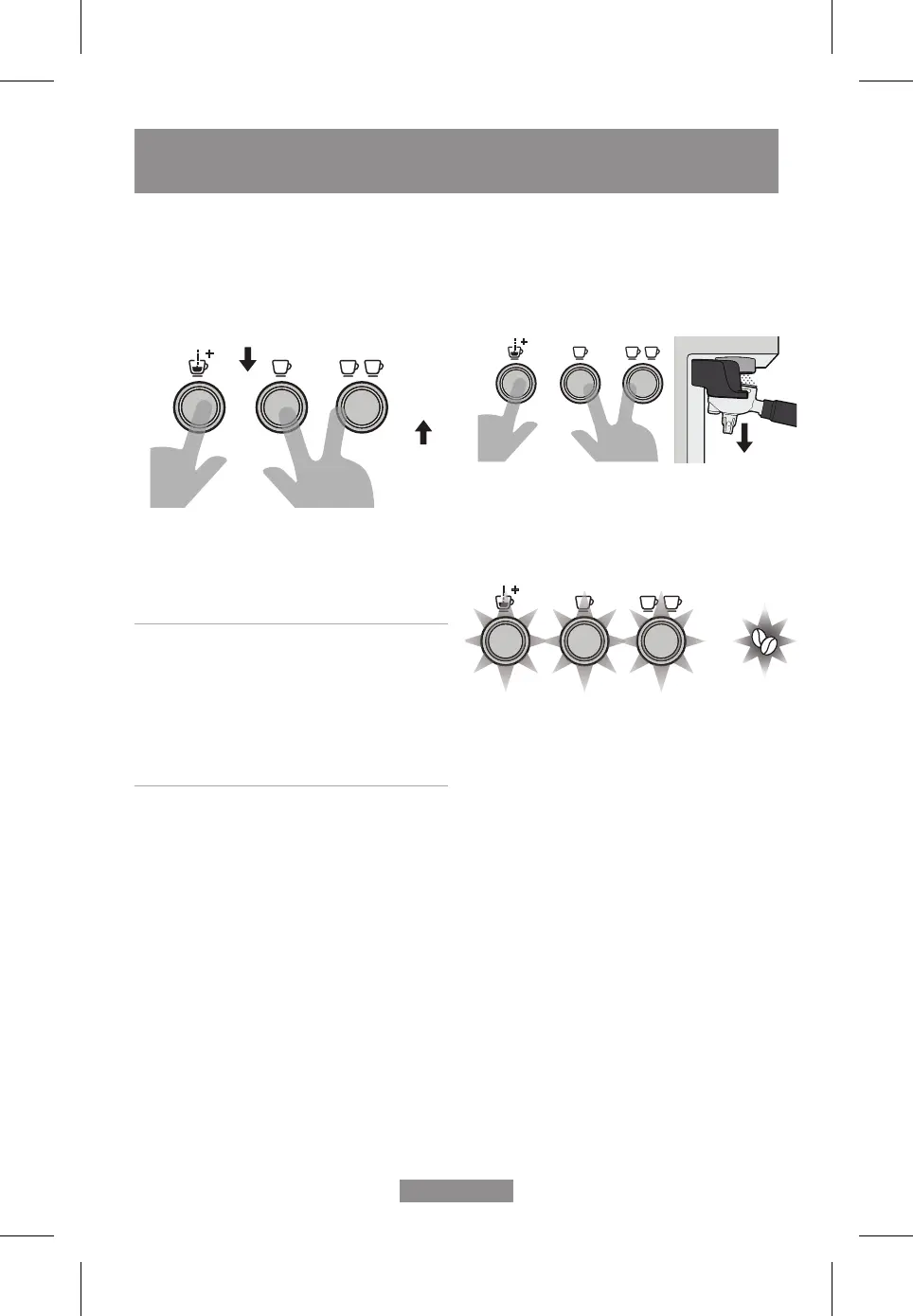
- The grind setting can then be adjusted. Use the
double shot button to increase the Grind setting, or
the single shot button to decrease.
- Press the manual brew button to save the new
setting. The unit will beep once and return to the
steady state condition.
Example; if you always used to make your
coffee at grind size 13, but now believe the
machine is under extracting at this position, you
may want to change to setting 12 or 11. As the
burrs are not adjusted during this process, this
recalibrates the unit and dials out the adjustment
lost due to burr wear
Restore – factory grind settings
- Press and hold all 3 EXTRACTION BUTTONS,
simultaneously pushing downwards on the
portafilter handle at the same time for 3 seconds.
PUSH
DOWN
- The machine will beep and all 3 EXTRACTION
BUTTON LIGHT ICONS and the grind icon will
flash together.
- The default espresso volumes have been restored.
- The machine will return to the READY state.
+
PRESS
SINGLE SHOT
TO DECREASE
PRESS
DOUBLE SHOT
TO INCREASE
PRESS
SINGLE SHOT
TO DECREASE
PRESS
DOUBLE SHOT
TO INCREASE
FINE TUNING YOUR ESPRESSO
English - 26
BVSTEM7400_23PEM1_PORT/ENG.indd 26BVSTEM7400_23PEM1_PORT/ENG.indd 26 2023/11/28 10:502023/11/28 10:50



 To Next Page