SETTINGS
The following table provides basic cooking guidelines for popular,
convenience and frozen foods. Please note that due to the variations in
thickness and size of the foods being cooked some experimentation may be
required for the best cooking results. Always ensure that the food is
thoroughly cooked to food-safe temperature throughout before consuming.
Tips
• Smaller ingredients usually require a slightly shorter preparation time
than larger ingredients.
• Shaking smaller ingredients halfway through the preparation time
optimizes the end result and can help prevent unevenly fried ingredients.
• Add some oil to fresh potatoes for a crispy result.
• The optimal amount for preparing crispy fries is about 1 lb.
• Use pre-made dough to prepare filled snacks quickly and easily. Pre-made
dough also requires a shorter preparation time than home-made dough.
• Place a baking tin or oven dish in the Hot-air fryer basket if you want to bake
a cake or quiche or if you want to fry fragile ingredients or filled ingredients.
• You can also use the Hot-air fryer to reheat ingredients. To reheat
ingredients, set the temperature to (300 ºF)for up to 10 minutes.
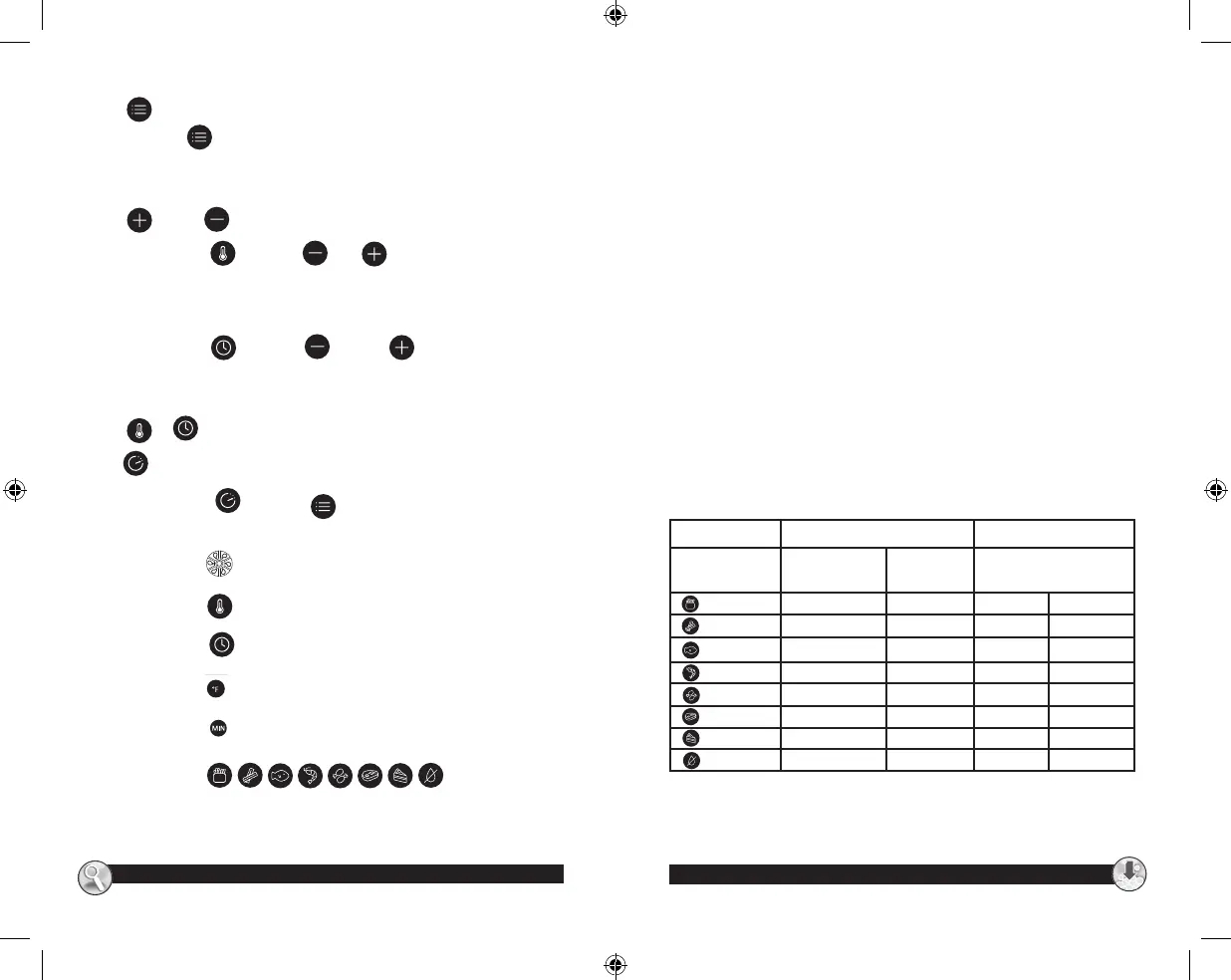
Defaults Temperature Range
Food
Cooking Temp
(Degrees in F)
Cooking
Time (Mins)
Temp (°F)
Fries
400 21 160 400
Bacon
375 10 160 400
Fish
375 18 160 400
Shrimp
375 12 160 400
Chicken
400 25 160 400
Steak
375 16 160 400
Baked Goods
350 17 160 400
Dehydrate
160 4h 80 160
Dehydrate mode: 2 - 24h
All other modes: 0-60 minutes
www.oster.com
www.oster.com
8 9
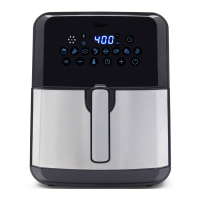
Key –Preset Key
Selecting the “ ”. Preset key enables you to scroll through the 8 popular
food choices. Once selected, the predetermined time and cooking
temperature function begins.
Key & Key —Temperature Control Keys
Selecting the Key“ ”. The Key and Key symbols enable you to
add or decrease cooking temperature (10 ºF) at a time. Keeping the Key
held down will rapidly change the temperature. Temperature Control range:
(175-400 ºF)
Selecting the Key “ ”. The Key and Key symbols enable you to
add or decrease cooking time, one minute at a time. Keeping the key held
down will rapidly change the time, Maximum 60 minutes;
Key & Temperature/Timer Control Keys
key —Booking
Selecting the key “ ”. The Key” ”or Set time and temperature, can
be booked 24 hours, countdown;
Indicator light “ ” Fan indicator
Indicator light “ ” Temperature light
Indicator light “ ” Timer light
Indicator light “ ”Temperature indicator
Indicator light “ ” Timer indicator
Indicator light “ ” Recipe
indicator
CKSTAFLC-DM_20ESM2 (US).indd 9-10 5/5/20 11:01 AM


 To Next Page