English-5
OPERATING INSTRUCTIONS
HOW TO USE THE CONTROL PANEL AND READ THE LCD DISPLAY
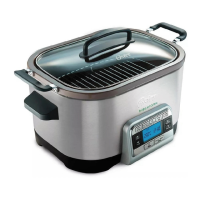
1. Press the Power Button to turn the 5-IN-1 Cooking System on. The red light
remains on until this is pressed to stop any function.
2. Cooking Function Buttons- press to select desired cooking function:
•Sauté“Sofreír”
•SlowCook“Coc.Lenta”
•Roast“Asar”
•Bake“Hornear”
•Steam“Coc.alVapor”
3. The Time “Tiempo” Buttons
are used to set the cooking time as follows:
To advance slowly simply press UP
or DOWN Button and release. To
advance quickly press and hold the UP or DOWN Button. If you have passed
the desired time, simply press the opposite button to return to the desired time.
NOTE: The time can be selected for all functions and can be changed at any time
during cooking.
NOTE: When using Sauté or Steam functions, On “Encendido” will appear on the
screen without a specific time. If you prefer to set a specific time, simply press the
UP or DOWN Button to do so.
4. The Temperature “Temp” Buttons
are used to select desired cooking
temperature as follows:
To advance slowly simply press UP
or DOWN Button and release. To
advance quickly press and hold the UP or DOWN Button.
NOTE: You can select a desired temperature when Sautéing, Roasting and
Baking.
5. The Start/Stop “Iniciar/Parar” Button starts and stops a cooking function. It must
be pressed to change from one cooking function to another.
6. The LCD display shows:
•thecookingfunctionbeingused
•howmuchlongerthefoodneedstocookfromtheselectedtimeinhoursand
minutes once the appliance is preheated
•thetemperaturesettingselected
•thepreheatingfunction




 To Next Page