English-5
CONTROL BUTTONS
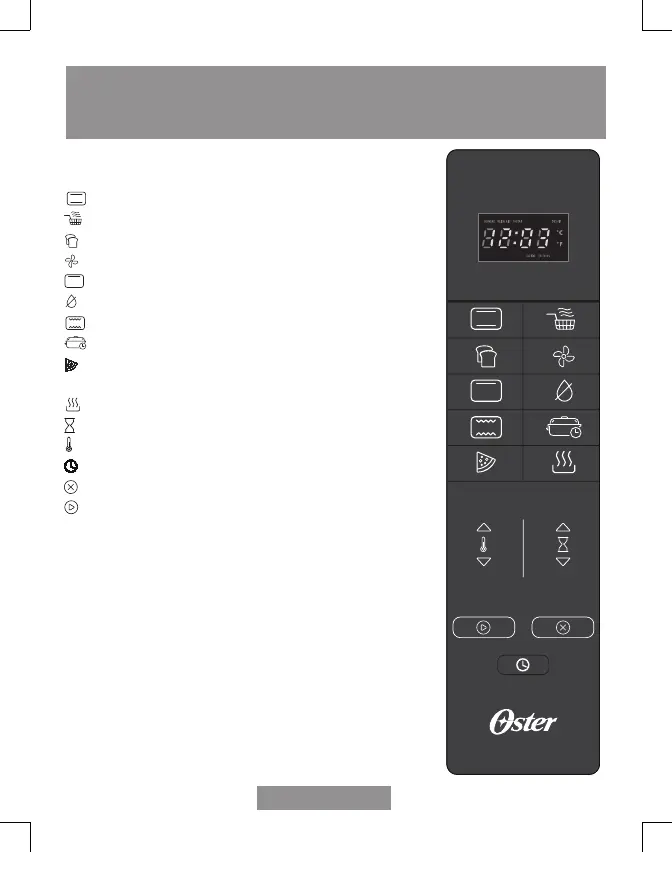
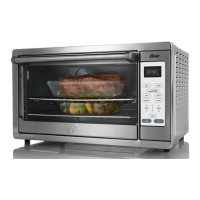
Cooking Functions are model dependent – (See Figure 2)
Bake – Select to bake.
Air Fry – Select to air fry.
Toast – Select to toast bread, bagels, etc.
Turbo Convect - Select to bake with convection.
Broil – Select to broil.
Dehydrate – Select to dehydrate foods.
Roast – Select to roast.
Slow Cook – Select to slow cook.
Pizza/Wings – Select to bake a large pizza or air fry
wings.*
Keep Warm – Select to keep oven warm.
Time – Adjusts time, temperature or toast shade.
Temp – Adjusts temperature.
Clock – Sets the oven clock.
Cancel – Stops heating or cancels function.
Start – Starts cooking process.
NOTE – Oven is on when display icons are illuminated and
flashing.
Pressing the cancel button twice turns off unit.
*Dependent on model purchased.
TURBO ASAR
ROST. COC. LENTA PIZZA RELOJ
TURBO ASAR
ROST. COC. LENTA PIZZA RELOJ
TURBO ASAR
ROST. COC. LENTA PIZZA RELOJ
TSSTTVFDDAFNS_23SEM1 (LA).indd 5TSSTTVFDDAFNS_23SEM1 (LA).indd 5 2023/3/7 10:042023/3/7 10:04


 To Next Page