English-8
Place oven rack into the desired position before heating the oven. (See “Positioning
Rack” Section)
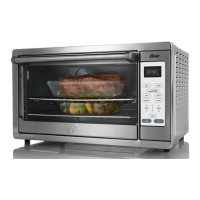
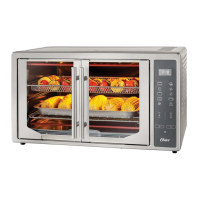
This oven has a preheat feature in turbo convection, bake, air fry, and slow cook
mode. Select the mode, turbo convection, bake, air fry, or slow cook. Use the temp
arrow keys to select the desired temperature. Use the timer arrow keys to select the
desired time.
Push the Start button. Display will show PrE until temperature is reached, the
oven will beep and display remaining time. At this time you may adjust the selected
time. The temperature may also be adjusted. If you increase the temperature the unit
will go back to preheat mode until it reaches the new set temperature.
To bypass the preheat function press the start button a second time.
Interior light turns on when timer is on. At the end of cooking cycle the light turns off
automatically.
NOTE – Upper and lower heating elements will cycle ON and OFF to maintain the
desired temperature, and may not glow.
When cooking is completed, open door fully and remove food carefully.
NOTE: Display time is in MM:SS
TO USE THE BAKE, TURBO
CONVECTION, AIR FRY, ROAST, BROIL,
PIZZA, OR WINGS FUNCTIONS:
TSSTTVFDDAFNS_23SEM1 (LA).indd 8TSSTTVFDDAFNS_23SEM1 (LA).indd 8 2023/3/7 10:042023/3/7 10:04


 To Next Page