2 Download Scanning Suite
√ Go to www.otctools.com/service-and-support/updates-and-down-
loads and download the Scanning Suite PC application.
√ Scanning Suite is NOT required to operate the Scan Tool.
√ Install the downloaded Scanning Suite application prior to connec-
ting the Scan Tool to the PC.
√ Some of the items included in Scanning Suite are:
– Tool update software
√ To be able to use Scanning Suite the PC must meet the following
minimum requirements:
– MicrosoftWindowsXP,Vista,7,and8.
– Adobe Acrobat Reader
– ScreenResolutionof800x600
> Ifscreenresolutionis800x600,inDisplayProperties,Settings
Tab, set Font Size to Small Fonts.
√ Use Scanning Suite to determine if any updates are available for
your tool by clicking Check for Update button.
√ YoucanalsoconguretheScanningSuiteFrequency(SSFre-
quency) to automatically check every xx minutes. The default fre-
quencyis30minutes.
√ Refer to instructions provided on www.otctools.com/service-and-
support/updates-and-downloads for how to install Scanning Suite
and Tool updates.
3 Using Your Scan Tool
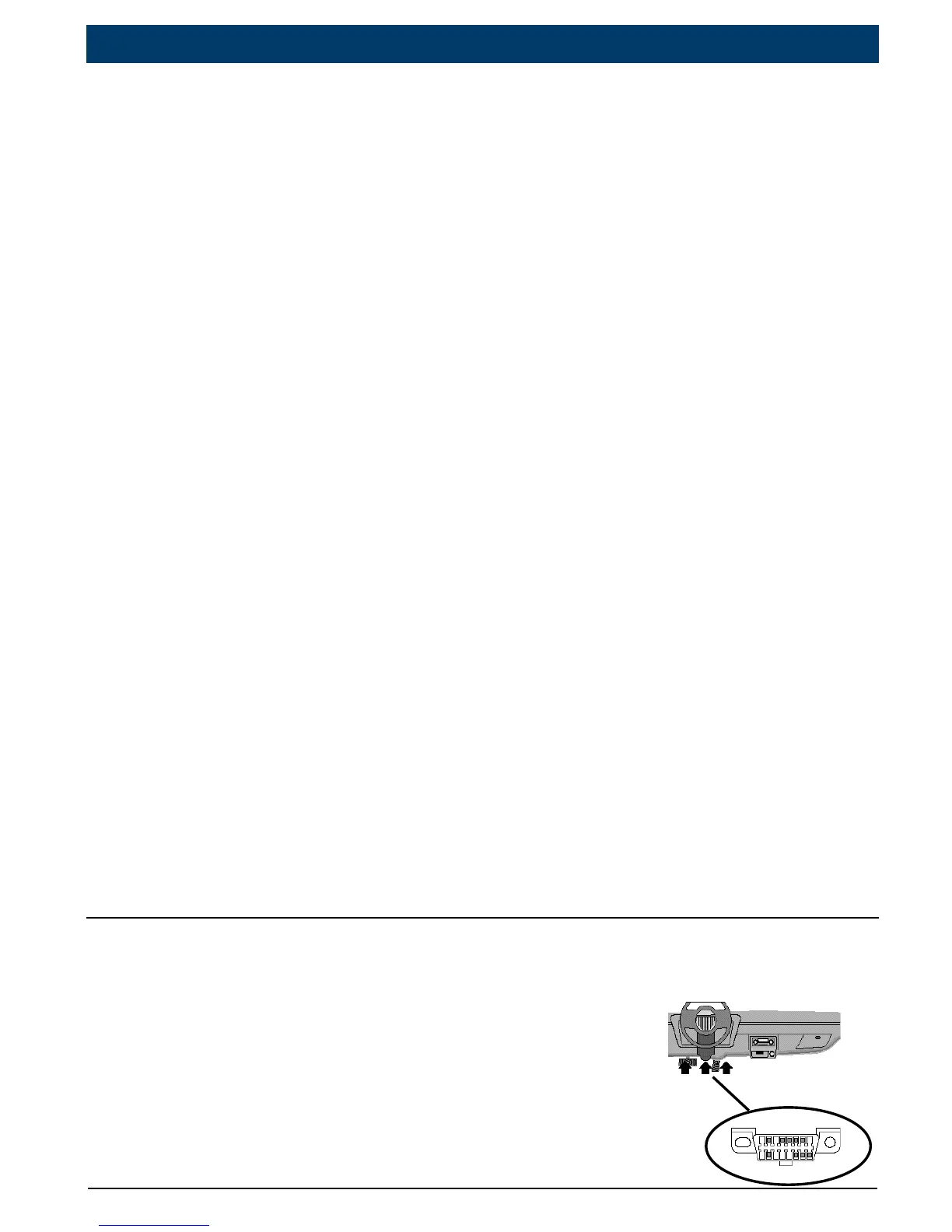
3. 1 Locating Data Link Connector
• The OBD II Data Link Connector (DLC) is
usually located under the driver’s side dash.
• Refer to user’s manual for DLC location.
• For more information, go to http://www.
obdclearinghouse.com/oemdb.
|
OTC3209
|
Quick Start Guide | 5
en
575516 REV A | 05.2015Bosch Automotive Service Solutions Inc.


 To Next Page