3.2 Connect the Tool
1. Locate the OBD II Data Link Connector under the steering col-
umn. If the connector is not there, a label should be there indicat-
ing the whereabouts of the connector.
2. If necessary, remove the cover from the vehicle connector.
3. Turn the ignition switch to the ON position. Do not start the
engine.
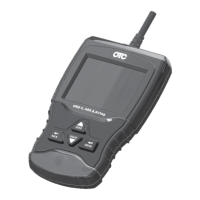
4. Plug the OBD II connector attached to the Tool into the Data Link
Connector.
5. The tool will attempt to identify the vehicle. If successful, the
vehicleidentiedwillbedisplayed.Ifvehiclecouldn‘tbeidenti-
ed,menuswillbeshownforyoutoselectthevehiclemanually.
The tool can support one previous vehicle in the garage. If you
already have a previous vehicle in your garage, the tool will auto-
matically overwrite the previous vehicle with the currently
selected one. All previous scanned data in Review Data will be a
combination of all previous vehicles. Run all functions again to
ensure that all data was scanned from the current vehicle.
6. Review Quick Test Results.
7. Go to Diagnostic Menu by pressing
ENTER.
Quick Start Guide
|
OTC3209
|
en
575516 REV A | 05.2015 Bosch Automotive Service Solutions Inc.


 To Next Page