5352
Audio - wireless
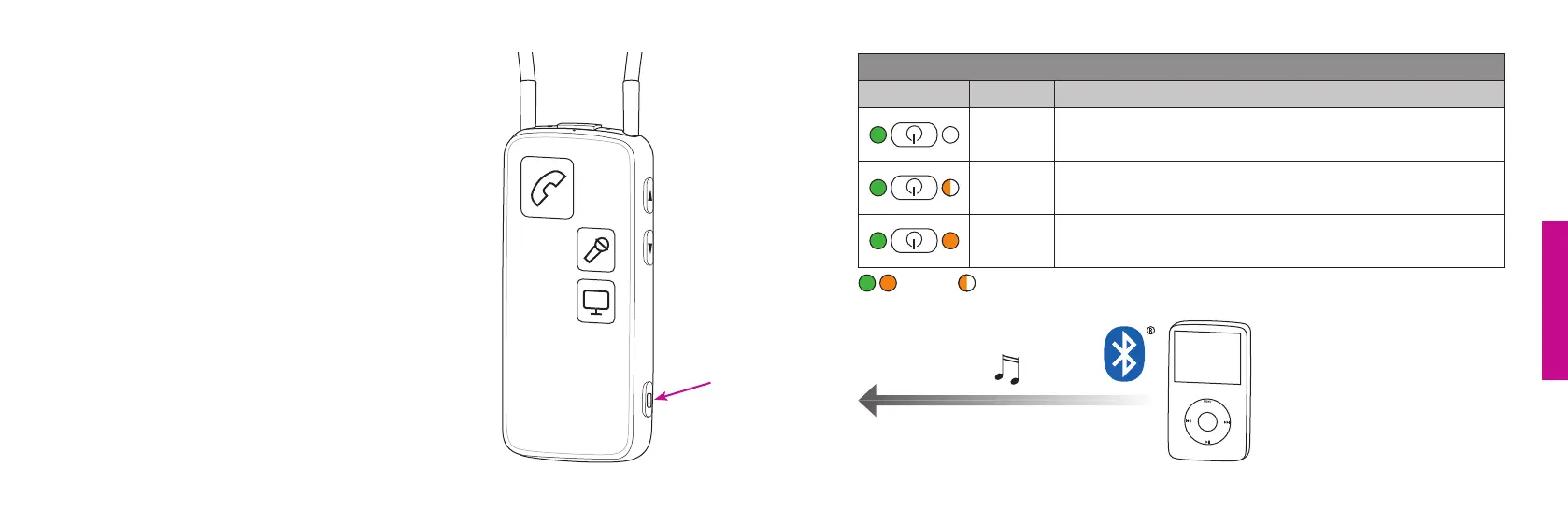
Music/audio wireless
To hear music/sound wirelessly, e.g. from an MP3 player
or a computer with built-in Bluetooth, make sure that the
device has been paired to your Streamer (page 30), that
both are turned on, and within range (<10 metres).
If you pair to a computer, make sure that the Streamer is
paired as headphone/A2DP device.
For more information please refer to:
www.oticon.com/audio
Music/audio wireless
Status Front Description
Streamer on and ready
Streamer connecting to music/audio device
When connected, you will hear a confirmation beep
followed by the sound from the device
Steady Blink



 To Next Page