User’s Guide of DO3000 Door Operator
Lead the green future All rights reserved © OTIS 36/48
to return to main menu.
3.4.3.5 Learning
Implement it by reference to section 3.4.2.3
3.4.3.6 Demo operation of door operator
Implement it by reference to section 3.4.2.4
3.4.3.7 Normal settings of door operator
Implement it by reference to section 3.4.2.5
Note: 1. All parameters including "Run command source" can be modified only when "Run command
source" is 0.
2. "Feedback mode" should be set to 0 at the time of commissioning. At the end of commissioning, for
HAA24360G1/ HAA24360G2/ HAA24360G4/ HAA24360G5/ HAA24360G6/ HAA24360G7/
HAA24360G9/ HAA24360G10/ HAA24360G11 controller components, the value should be set to 1;
for HAA24360G3/HAA24360G8 controller components, it should remain unchanged (0).
3. For HAA24360G1/ HAA24360G2/ HAA24360G4/ HAA24360G5/ HAA24360G6/ HAA24360G7/
HAA24360G9/ HAA24360G10/ HAA24360G11 controller components, "Run command source" can
be set to 6 only when emergency stop button is reset, top car is under the service status and
"Feedback mode" is set to 1.
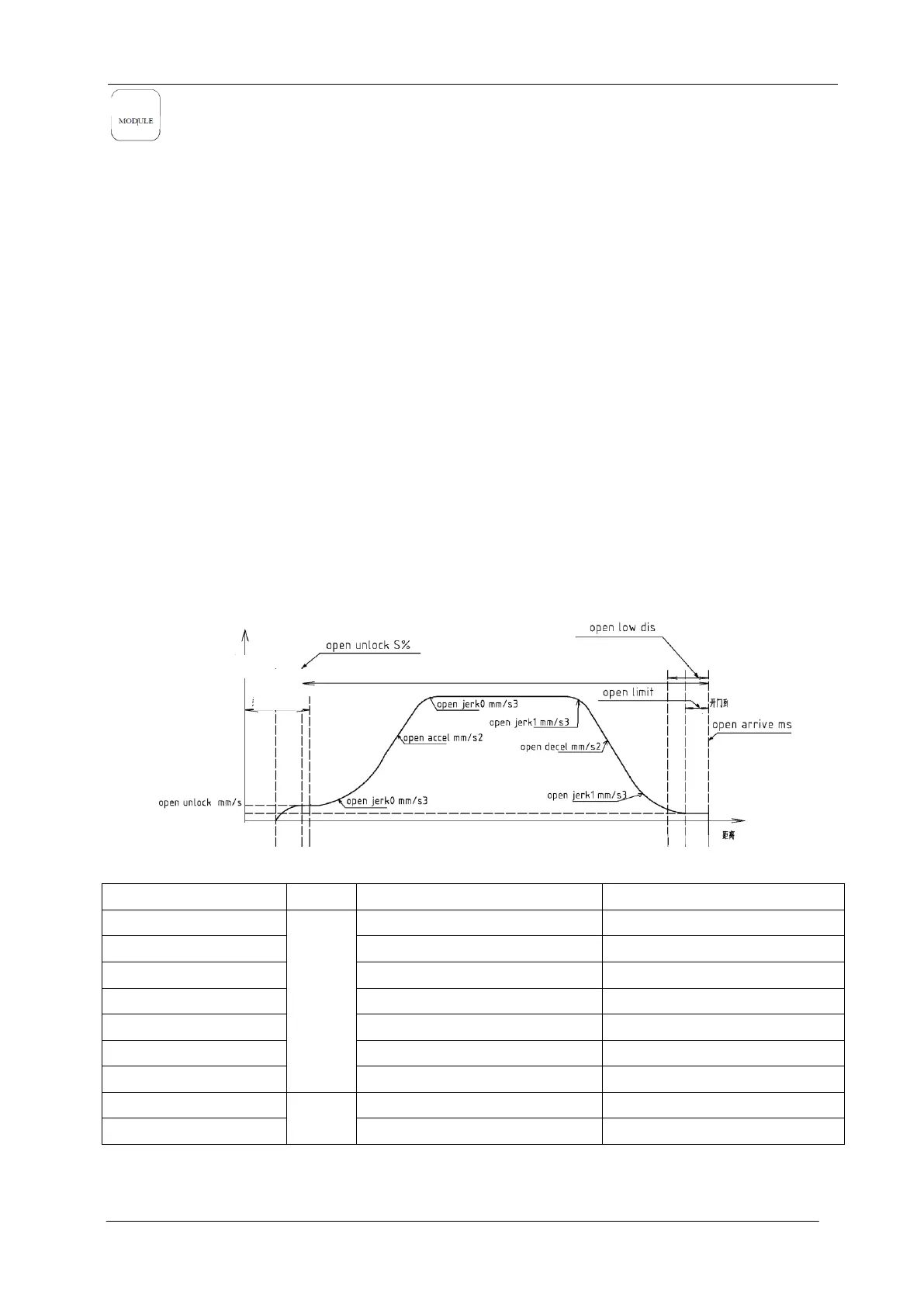
3.5 Open/close curve
3.5.1 Open curve
Open curve is as shown in Fig.3-12.
Fig.3-12 Open Curve
Function No. and Position
3.5.2 Close Curve
Close curve is as shown in Fig.3-13.


 To Next Page
 Loading...