PRODUCT INFORMATION
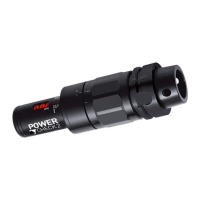
PULL-FORCE MEASUREMENT SYSTEM POWER-CHECK 2
Category measured values
The following measured values are displayed here:
Measurement
Date
Time
Measured value [kN]
Sleeve position
Device ID
The current storage space/memory use is displayed in percent next to it.
Read memory: Pressing this button reads the measured values to the PC and displays them on
the screen.
Export: Pressing this button saves the current measured values to a folder (requiring selection).
Two txt files are created: one file with comma and one ..dot.txt file with a point as decimal
separator
The txt files can be imported and analyzed via any standard spreadsheet program.
Clear Memory: Pressing this button irretrievable deletes all measured values in the pull force
measuring system!
POWER-CHECK-2_PE_2015-09
Subject to modification due to technical advance! // 30


 To Previous Page
 Loading...