3
Dear customer,
Thank you for purchasing our product. Please read the following instructions carefully
before first use and keep this user manual for future reference. Pay particular attention
to the safety instructions. If you have any questions or comments about the device,
please contact the customer line.
www.alza.co.uk/kontakt
✆ +44 (0)203 514 4411
Importer Alza.cz a.s., Jankovcova 1522/53, Holešovice, 170 00 Praha 7, www.alza.cz
Warning: For the safety of yourself and other road users, and to comply with traffic laws
in your respective country, please refrain from watching videos while driving. Please
note that due to continuous product updates, some contents in this manual may differ
from the product you have purchased.
Note: To ensure compatibility with the factory display, the Android system will
automatically restart once during the initial car connection.
Overview
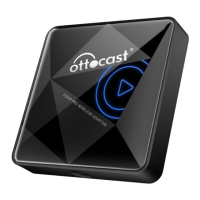
This AI box is specifically designed for factory car stereos equipped with built-in wired
Apple CarPlay. It can seamlessly convert wired CarPlay into a standalone Android
system. Additionally, the AI box incorporates wireless Apple CarPlay and Android Auto
functions for enhanced connectivity and convenience.
Package Contents
• Android AI box
• USB cable (Type-C to USB-A)
• USB cable (Type-C to Type-C)
• User manual
• Bypass power cable (use when car’s USB power supply is insufficient)
• Installation guide


 To Next Page