5
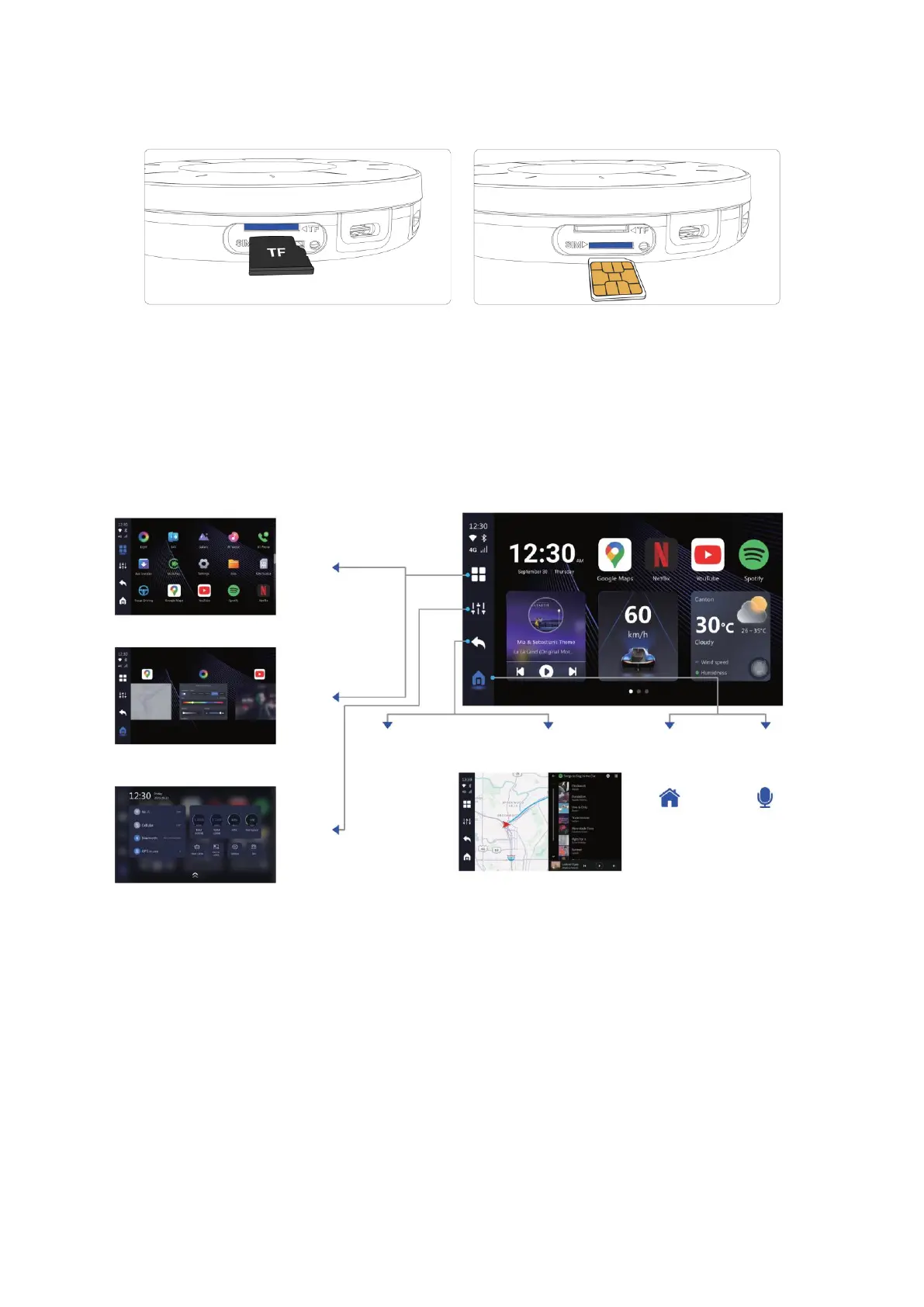
Methods of installation of memory card (left) and NanoSIM card (right).
Note: Power off before inserting or removing the NanoSIM card. NanoSIM card and
memory card are not included in the package.
User Interface
Network Connection
You can insert NanoSIM card in order to use cellular data network. Alternatively, you can
connect to a Wi-Fi network. Go to AI box settings > Network & Internet > Internet > Wi-Fi
and connect to an available Wi-Fi network, such as a router or personal hotspot from
your phone.



 To Next Page