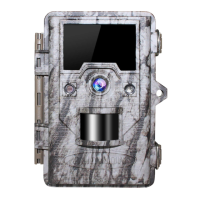
>Sensor Level: The sensitivity of the PIR sensor. The “High” setting will make the camera more
sensitive to infrared (heat) and more easily triggered by motion, and the “Low”setting makes it
less sensitive to heat and motion.
>Language: Selects user's preferred language from defined ten languages.
>Password: Select OFF to close the password function. Select ON and set 4-digit password.
>Image Recycle: Select "ON" if you want the oldest photos/videos to be replaced by new images
once the SD Card is full. Select "OFF" if you want operate to stop when the card is full.
>Time Stamp: Select “ON” if you want the date& time (that the photo was captured) imprinted
on every photo; select “OFF” for no imprint.
>Video Sound: Press “ON” the camera will record the sound when in video mode. Press
“OFF”and no sound will be closed.
>Format: Delete (erase) all files stored on a SD card. Please format a SD card that has been
previously used in other devices.
>Default: Select "Execute" and press OK to restore all parameters to the original factory default
settings.
>Version: Here it shows the updated Firmware version being currently used in this camera.
Please contact Seller to download the most updated firmware, If necessary.
What’s the difference between the Interval and the Time Scan?
Interval - in this mode, the PIR sensor still works. For example, if you choose the 30s
interval, the PIR sensor will detect the motion twice in one minute. If the PIR sensor
detects an object at this time, the camera will record, but if the PIR sensor doesn't
detect, the camera will not record.
Time Scan - in this mode, the PIR sensor will no longer working because it will be
triggered by the built-in timer, and the camera would take photos in the setting interval
time. For example, if you set the time lapse to 30s, the camera will record twice in one
minute whether or not there is an object passing by.
The high setting can be useful when he ambient temperature is warm (making it more
difficult for the sensor to detect animals), and the Low setting may help in cold whether
if the camera is being triggered too often by anything warmer than the surroundings.
“Normal” is for average or moderate condition. The default “Auto” Setting will allow the
camera to determine the best setting if weather is expected to change significantly
Caution! Make sure you have downloaded and backed up all files you want to preserve first!
Press OK to execute, press MENU (or select NO then press OK) to exit without formatting.
You can choose yes, if the camera is behaving oddly and you think you may have changed
the setting for something accidentally ( but aren't sure which one). This will returns your
camera each setting back to the factory default.


 To Next Page
 Loading...