

 To Next PageTo Next Page
 Need help?
Do you have a question about the Outback FLEXnet DC and is the answer not in the manual?
General information about OutBack Power, the company.
Legal notice regarding warranty and liability for product use.
Details the copyright ownership of the FLEXnet DC Overview Guide.
Lists the trademarks and logos owned by OutBack Power Technologies, Inc.
Indicates the publication date and revision level of the document.
Specifies the product's part number for identification.
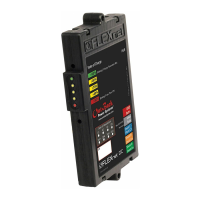
Provides an overview of the FLEXnet DC battery monitor and its function.
Lists the main sections and topics covered in the document.
Step-by-step guide to calibrate the FN-DC in a real-world system.
Lists symptoms, possible causes, and remedies for typical FN-DC problems.
Procedure for physically mounting the FN-DC unit into a power center.
Detailed guide on how to connect all wires to the FN-DC wiring block.
Diagram showing FN-DC setup with one inverter and two charge controllers.
Diagram showing FN-DC setup with one inverter and one charge controller.
Explains the principle of shunt operation for current measurement.
Essential steps to perform before powering on the FN-DC for the first time.
Instructions for configuring the FN-DC using the MATE3s system display.
How to retrieve and view logged battery performance and historical data.
Explains how the FN-DC monitors battery SOC and charging parameters.
Methods for accessing and viewing data from the FN-DC on the MATE3s.
Explanation of the LED indicators on the FN-DC unit showing battery SOC.
Summary of key battery performance metrics displayed by the FN-DC.
Information regarding the operational status of the connected shunts.
Details on the data logging capabilities and contents of the FN-DC.
Steps to configure the auxiliary relay for external device activation.
Meaning of the various LED indicators on the FLEXnet DC device.
Historical data logged for the specific shunt designated as Shunt A.
Historical data logged for the specific shunt designated as Shunt B.
How to remotely monitor FN-DC data using the OPTICS RE web interface.
OPTICS RE interface screen for configuring battery charging parameters.
OPTICS RE interface screen displaying data for Shunt A.
OPTICS RE interface screen displaying data for Shunt B.
OPTICS RE interface screen for managing the device's relay settings.
Setting to manually or automatically control the auxiliary relay's state.
Criteria used to automatically trigger the auxiliary relay's operation.
General information about OutBack Power, the company.
Legal notice regarding warranty and liability for product use.
Details the copyright ownership of the FLEXnet DC Overview Guide.
Lists the trademarks and logos owned by OutBack Power Technologies, Inc.
Indicates the publication date and revision level of the document.
Specifies the product's part number for identification.
Provides an overview of the FLEXnet DC battery monitor and its function.
Lists the main sections and topics covered in the document.
Step-by-step guide to calibrate the FN-DC in a real-world system.
Lists symptoms, possible causes, and remedies for typical FN-DC problems.
Procedure for physically mounting the FN-DC unit into a power center.
Detailed guide on how to connect all wires to the FN-DC wiring block.
Diagram showing FN-DC setup with one inverter and two charge controllers.
Diagram showing FN-DC setup with one inverter and one charge controller.
Explains the principle of shunt operation for current measurement.
Essential steps to perform before powering on the FN-DC for the first time.
Instructions for configuring the FN-DC using the MATE3s system display.
How to retrieve and view logged battery performance and historical data.
Explains how the FN-DC monitors battery SOC and charging parameters.
Methods for accessing and viewing data from the FN-DC on the MATE3s.
Explanation of the LED indicators on the FN-DC unit showing battery SOC.
Summary of key battery performance metrics displayed by the FN-DC.
Information regarding the operational status of the connected shunts.
Details on the data logging capabilities and contents of the FN-DC.
Steps to configure the auxiliary relay for external device activation.
Meaning of the various LED indicators on the FLEXnet DC device.
Historical data logged for the specific shunt designated as Shunt A.
Historical data logged for the specific shunt designated as Shunt B.
How to remotely monitor FN-DC data using the OPTICS RE web interface.
OPTICS RE interface screen for configuring battery charging parameters.
OPTICS RE interface screen displaying data for Shunt A.
OPTICS RE interface screen displaying data for Shunt B.
OPTICS RE interface screen for managing the device's relay settings.
Setting to manually or automatically control the auxiliary relay's state.
Criteria used to automatically trigger the auxiliary relay's operation.

 General