S3 User Guide 9 PN 875-0196-000 Rev C1
Chapter 2: Installation and Setup
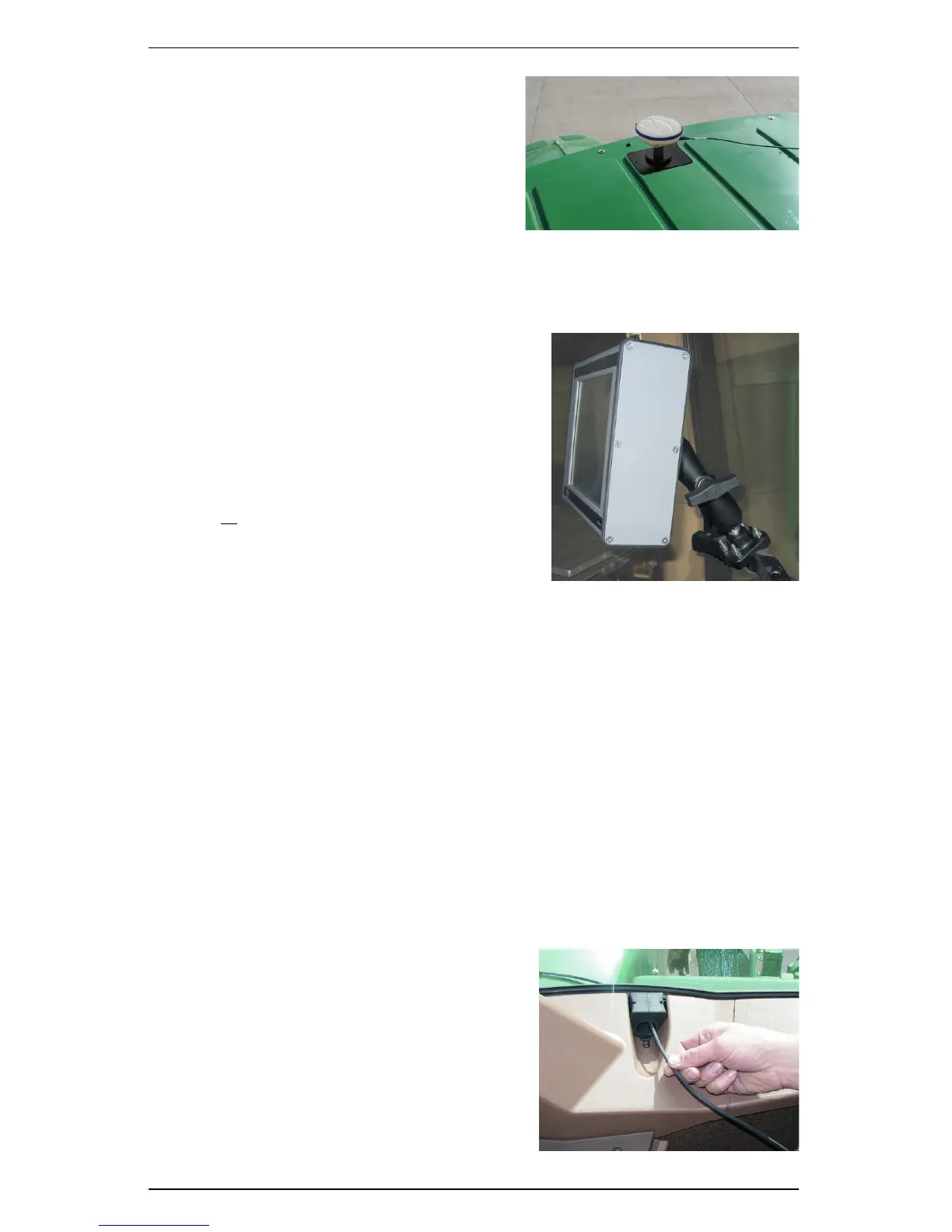
4. Place the magnetic mounted
antenna on the plate and on the
vehicle’s exact centerline.
Mounting the Console
Normally, you mount the console in the front, right corner of the cab within the
driver’s reach.
1. Determine the desired console location.
It should be located within easy reach
and visibility of the driver.
2. Loosen the knob and remove the ball
mount from the Ram ball mount
assembly.
3. Use the Ram mount to attach the
console assembly base to a flat surface.
or
Use the provided U-bolts to attach the
assembly base to a rail.
4. Insert the console ball mount into the
Ram base assembly.
5. Tighten the knob.
6. Adjust the console to the desired viewing angle.
Routing the Antenna Cable
Keep the following in mind before routing the antenna cable:
• Turn off the S3 before attaching or removing cables
• Do not bend the cable to a radius of less than 6 inches
• Do not route the cable within 12 inches of radio wires, power generator
wires, a heat source or moving parts
• Coil excess cable in a protected location and secure the installation with tie
straps
To route the antenna cable:
1. Securely attach one end of the cable to
the GPS antenna.
2. Route the cable through a cab opening
(such as a closed window) where rubber
protection exists that will protect the
cable.
3. Attach the other end of the cable to the
console.


 To Next Page
 Loading...
