S3 User Guide 10 PN 875-0196-000 Rev C1
Chapter 2: Installation and Setup
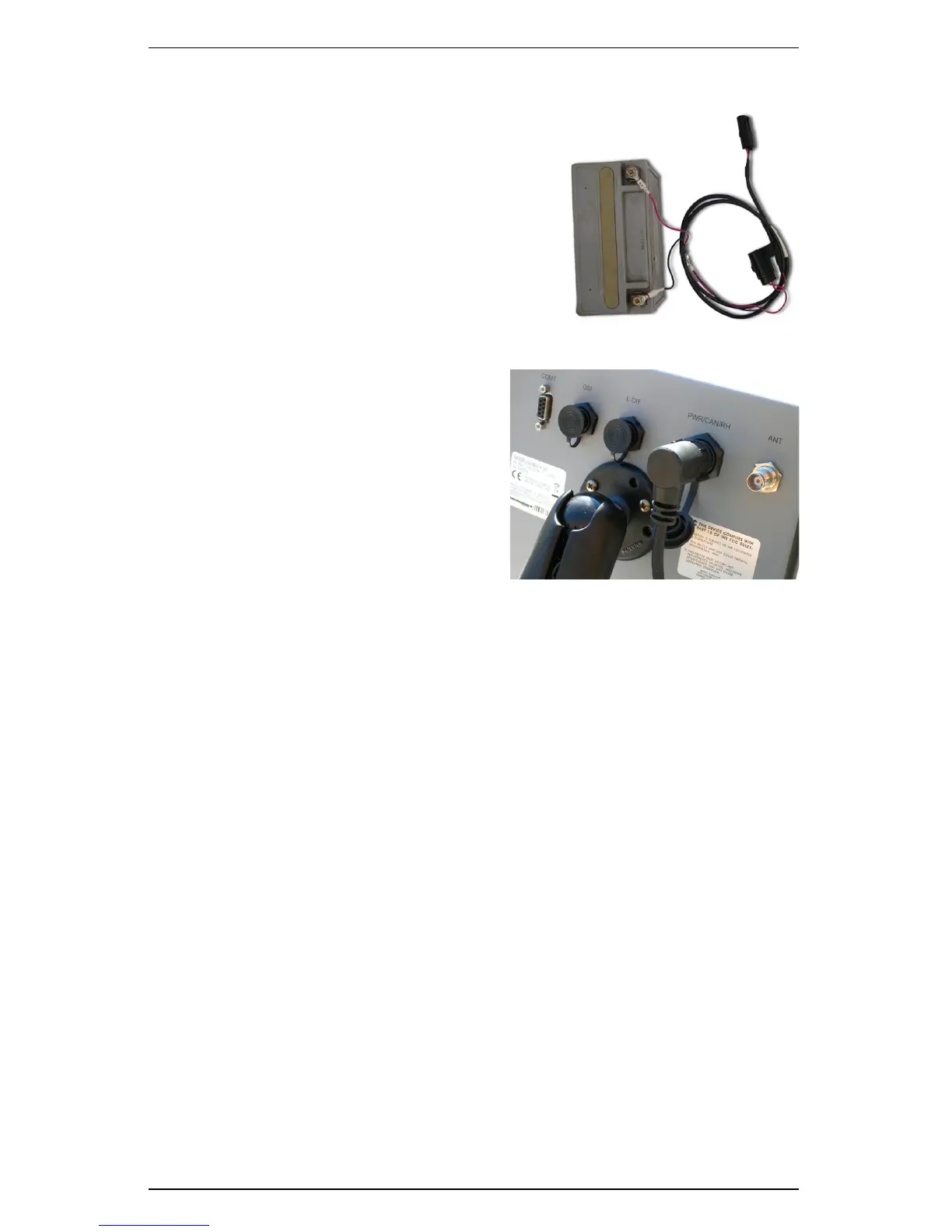
Attaching the Battery Cable
1. Connect the battery cable to a reliable
12 VDC power source with the red lead to
positive and the black lead to negative.
2. Route the battery cable for connection to
the main cable in the next section.
3. Coil excess cable in a protected location
and secure the installation with tie straps.
Installing the Main Cable
1. Connect the 2-pin power connector
of the main cable to the battery
cable.
2. Route the main cable in the vehicle
cab in a protected location.
3. Connect the main cable to the PWR/
CAN/RH port on the back of the S3
console.
Attaching the Floor Switch
You can use the floor switch as a remote to pause or restart the S3’s mapping/data
logging function (you can also perform this function using the Apply control button on
the S3 display—see “Using the Map Modes and Views” on page 26).
1. Remove the 2-pin cap from the run/hold portion of the main cable and
connect the floor switch.
2. Install the floor switch in an easily accessible position.


 To Next Page
 Loading...
