S3 User Guide 11 PN 875-0196-000 Rev C1
Chapter 2: Installation and Setup
Powering Up the S3
This section describes how to power up:
• S3 as a standalone product
• S3 with eDriveTC/eDriveX
•S3 with BaseLineX
Powering Up the S3 as a Standalone Product
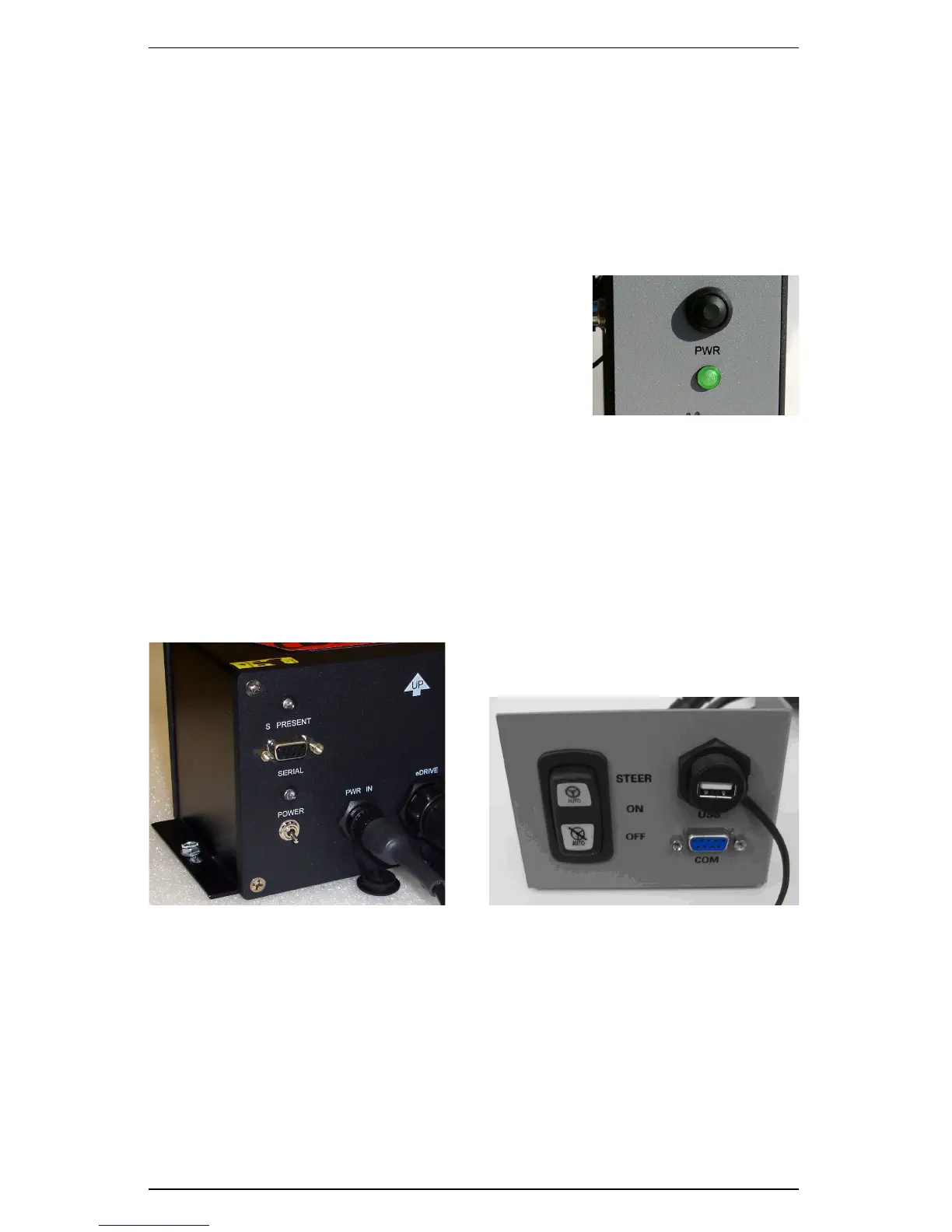
Push the power button located on the left end of the
console.
Powering Up S3 and eDriveTC/eDriveX
Turn on the power switches of the S3 and the eDriveTC (flip the toggle switch) or
eDriveX (set power switch to ON) in any order. eDriveTC/eDriveX will establish
communication with the S3 and wait for the DGPS signal to be acquired.
• The S PRESENT light on the eDriveTC console indicates communication has
been established.
• The red power LED (outer - nearest the edge) indicates power when
illuminated.
Figure 2-1: eDriveTC/eDriveX power switches
See “Configuring Steering Settings” on page 21 for a brief overview of eDriveTC/
eDriveX steering options. For complete steering information regarding eDriveTC/
eDriveX refer to the eDriveTC User Guide or eDriveX User Guide (both available from
the Outback Guidance website at www.outbackguidance.com).


 To Next Page
 Loading...
