S3 User Guide 12 PN 875-0196-000 Rev C1
Chapter 2: Installation and Setup
Powering Up S3 and BaseLineX
1. Turn on the S3. The BaseLineX rover radio power LED illuminates, indicating
connection.
2. Make sure the LOCRTK button is selected on the GPS Setup screen of the
GPS tab.
3. Turn on the BaseLineX base station. Set the power switch all the way up on
the BaseLineX base station to use the internal battery or all the way down to
use an external battery.
The power status indicator LED on the base station illuminates red when it is
powered up. The base station’s green GPS/radio indicator flashes when it is
broadcasting GPS corrections. For more information on BaseLineX refer to
the BaseLineX User Guide (available from the Outback Guidance website at
www.outbackguidance.com).
Note: The S3 must receive consistent corrections from the base station for
up to 15 minutes to achieve RTK lock (maximum accuracy.) However, the
vehicle can be moving during this time.
The Map screen displays BaseLineX status information as soon as radio
communication has been established.
Note: For more information on installing and configuring BaseLineX, refer
to the BaseLineX User Guide (available from the Outback Guidance website
at www.outbackguidance.com).
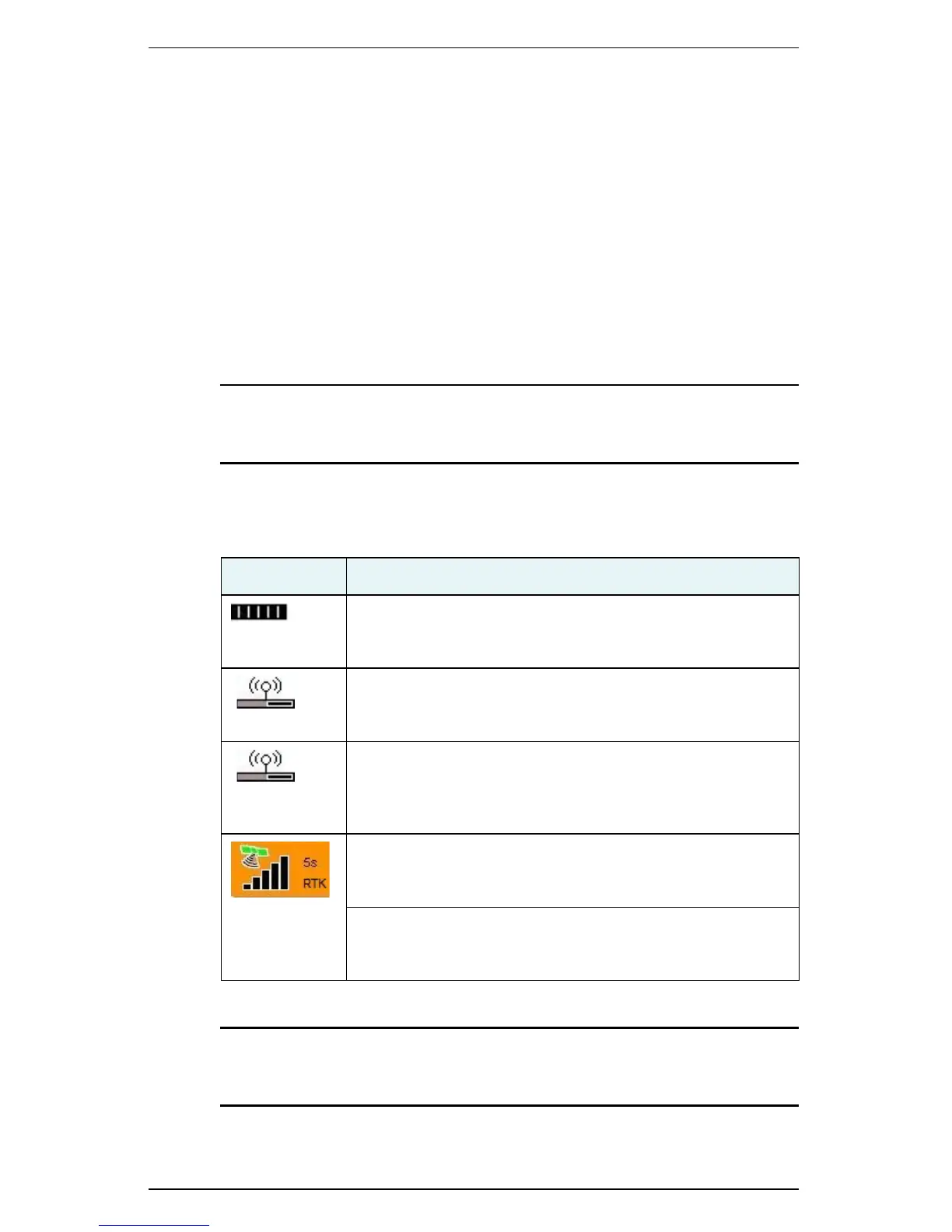
Indicator Description
Local base battery status
Displays the charge remaining on the local base station
battery.
Radio Tower (top part of icon)
Indicates the S3 is receiving corrections for the local base
station (pulsates when it receives a signal).
Radio Communication Status Bar (base of icon)
The status bar fills after 15 minutes of consistent
communication with the base station and is cleared if
communication with the base station is lost.
Signal Strength
The vertical bars indicate the quality of the GPS signal. 5 bars
are typical with RTK.
Signal (Correction) Type
”RTK” indicates it is receiving Real Time Kinematic
corrections.


 To Next Page
 Loading...
