S3 User Guide 29 PN 875-0196-000 Rev C1
Chapter 3: Basic Operation
Using Field Views
Field mode views give you a bird’s eye view of the job. In this view, the vehicle
appears to move while the map appears stationary on the screen. See “Selecting
Modes and Views” on page 26 on how to select the desired Field mode view.
You can pan to a specific area on the map by touching the screen and dragging the
area into view.
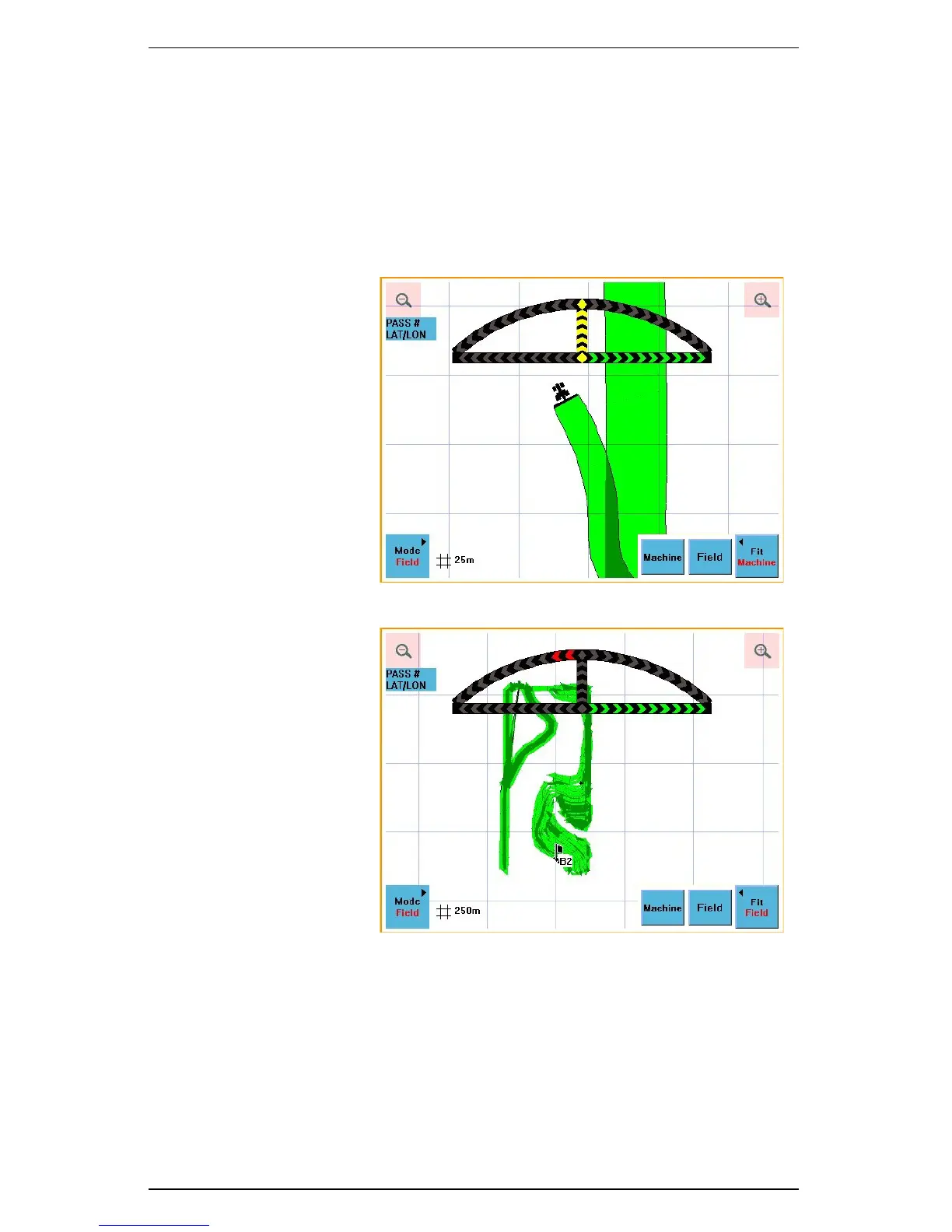
There are two different perspectives available in Field view: Machine Fit and Field Fit.
Machine Fit perspective
automatically zooms in on
the vehicle’s current
position on the map.
Figure 3-6: Machine Fit
Field Fit perspective
automatically zooms out
over the entire field that
you are working.
Figure 3-7: Field Fit



 To Next Page