S3 User Guide 44 PN 875-0196-000 Rev C1
Chapter 4: Advanced Features
Overview
This chapter covers the following topics:
• Job management with detailed descriptions of the Job screen features and
functionality
• Advanced operations such as using guidance lines and grids, dropping mark
flags, and setting perimeters
Managing a Job
The S3 includes the following job management options:
• Loading previously recorded job data
• Creating job templates
• Recording such job information as farm, field, crop, operator, and weather
data
You can also transfer this information to Field Notes software (available for download
from the Outback Guidance website at www.outbackguidance.com) via USB drive to
generate maps and reports.
Note: Portable music players, USB extension cables, and USB-to-CompactFlash®
adaptors are not compatible with S3. Do not try to reformat these devices to work with
S3 as this can delete their firmware and prevent them from operating correctly.
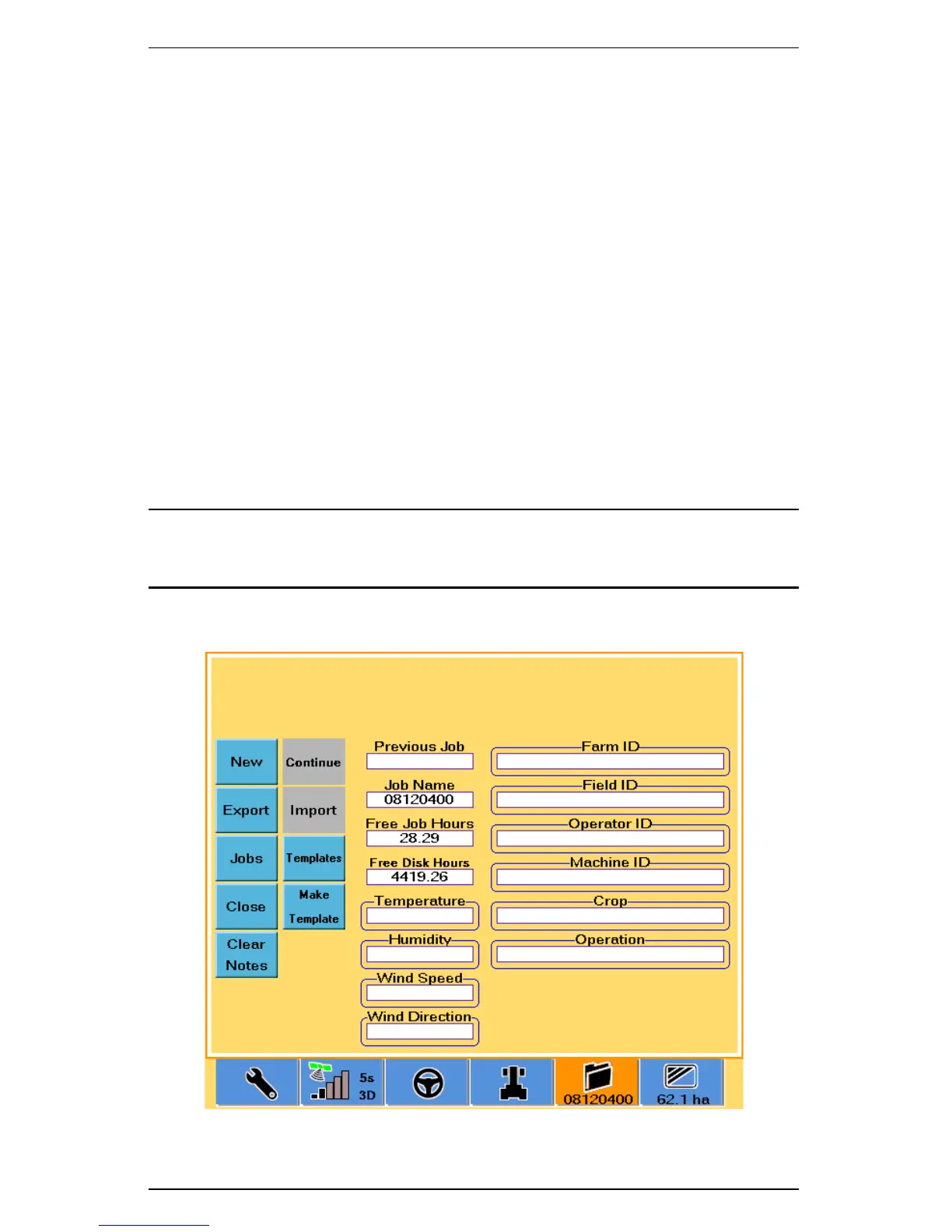
Working with jobs begins with the Job screen (Figure 4-1).
Figure 4-1: Job screen


 To Next Page
 Loading...
