S3 User Guide 51 PN 875-0196-000 Rev C1
Chapter 4: Advanced Features
Setting a Perimeter
Normally, you complete the first operational pass to set and record the perimeter of
the field. The Perimeter feature of the S3 enables you to record field perimeters and
save them as templates for future operations—allowing perimeter information to
remains consistent from job to job, season after season.
You can include multiple perimeters in a single job. When a field is divided into
multiple areas, S3 adds the areas defined by the perimeters to calculate the total job
area.
You can also exclude perimeters. For example, if there is an obstacle in the field, such
as a body of water, you may want to excluded it from the total area calculation. Use
the same perimeter function, except touch the Exclude button—the resulting excluded
area is deducted from the total job area calculation.
1. Drive to the starting position of the field.
Note: To record the perimeter for future use as a template, make sure you
have selected the Apply control button. While the Apply feature is activated,
the S3 records all job data including the perimeter.
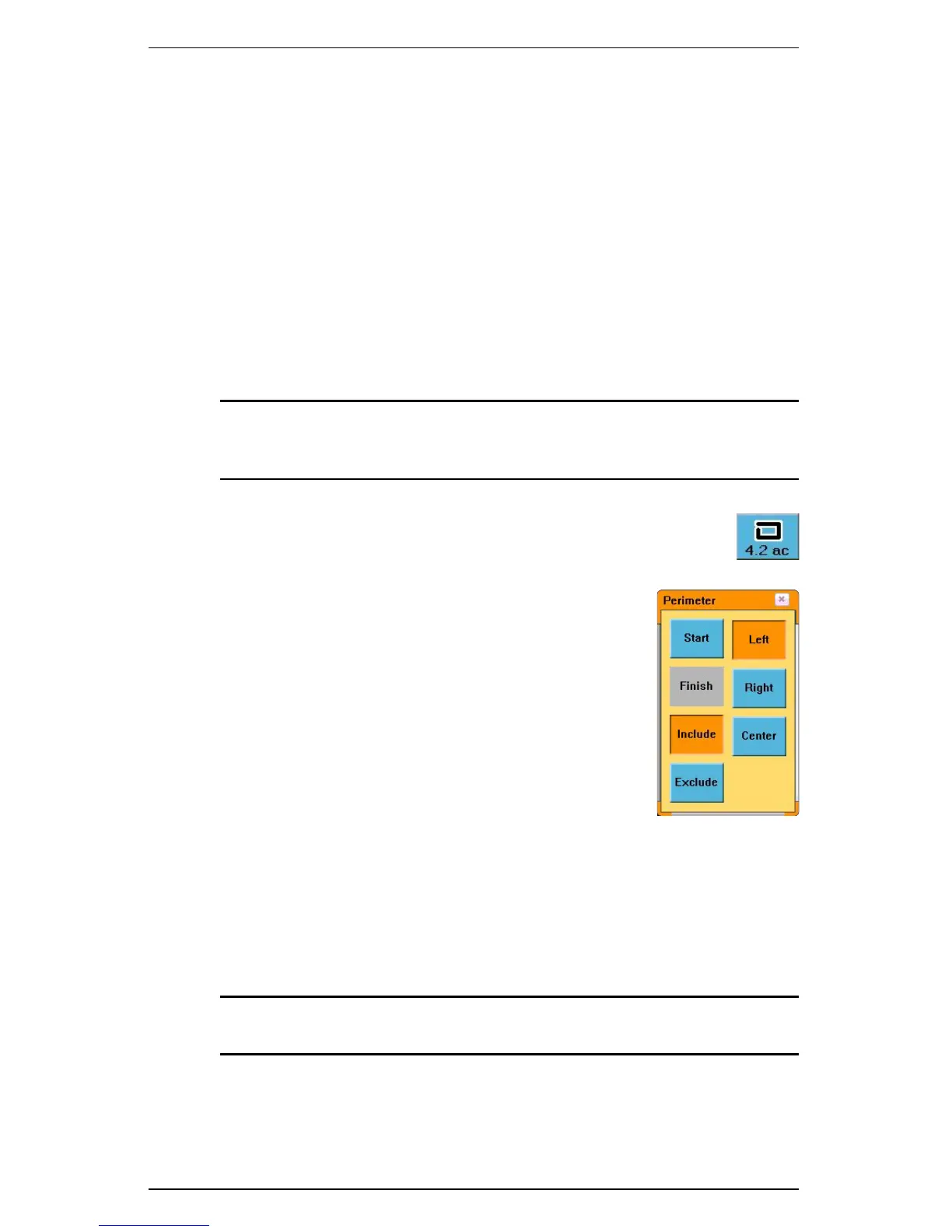
2. Touch the Perimeter control button. The Perimeter
window appears.
3. Touch Left, Center, or Right button to determine if
the calculations should start from the left edge, center,
or right edge of the swath width.
4. Touch the Include button to get the total area
calculation.
or
Touch t h e Exclude button to subtract the defined area
from the total area calculation.
5. Touch the Start button. Drive around the outside of
the field as accurately as possible. A black dotted line
on the screen shows the perimeter line. An
approximate area calculation appears at the bottom of
the Perimeter control button as the S3 records the perimeter.
The perimeter automatically closes anytime the vehicle is within a swath
width of the perimeter’s starting point.
6. To manually close the perimeter at any time, touch the Perimeter control
button to display the Perimeter window and then touch the Finish button.
Note: You should close the perimeter as close to the starting point as
possible.


 To Next Page
 Loading...
