S3 User Guide 53 PN 875-0196-000 Rev C1
Chapter 4: Advanced Features
Using Mark Flags
The most useful way to utilize marks is to use them to create sub-areas before and
after any changes. A typical use of marks is when applying treatment that requires
several refills—you create a mark between each refill and from those marks you can
create separate maps of each load. You can also use marks when changing seed depth
during planting—drop a mark when you make the change and you can later analyze
the two separate areas for yield differences.
Marking a Single Point
You can use marks to record a single point, such as a weed patch. Simply drop a mark
and record what it is on a note pad to input into Field Notes software at a later time.
Field Notes is available for download from the Outback Guidance website at
www.outbackguidance.com.
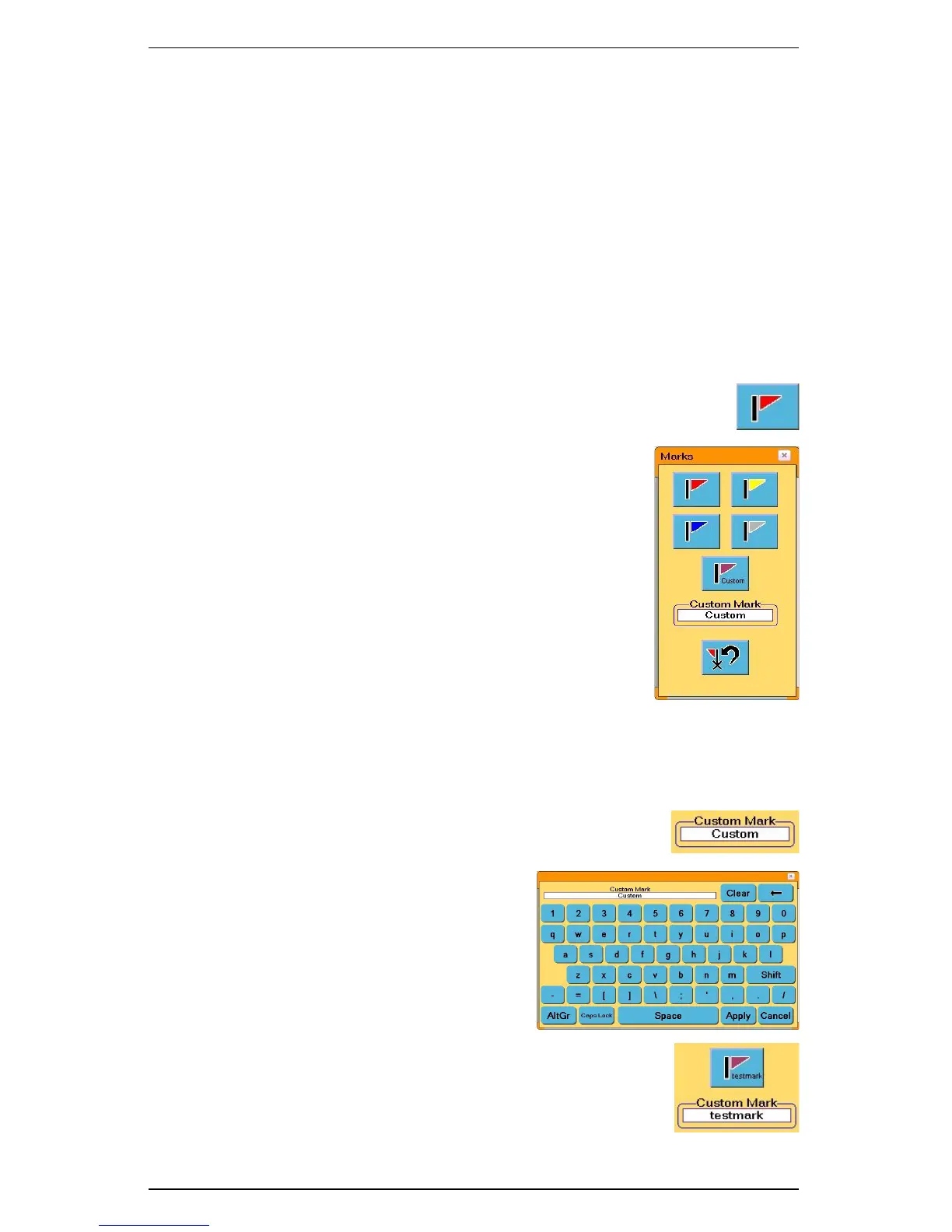
1. Touch the Mark Flag control button. The Marks
window appears.
2. Touch the mark button of the desired color. S3 saves
the current location and identifies it by the color and by
a number. S3 numbers marks in the order you drop
them, making later identification easier.
3. Annotate all marks and any other pertinent information
about the job on a note pad.
4. After you finish the job, transfer the information to a
PC using Field Notes software.
Creating Custom Flags
You can create custom marks to supplement the standard S3 marks.
1. Touch the Mark Flag control button. The Marks window appears.
2. Touch the Custom Mark field. The Custom Mark
window appears.
3. Type the name of the custom mark and
then touch the Apply button.
The name you typed appears in the
Custom Mark field and on the mark
button just above the Custom Mark
field.
4. Mark flags (including the custom mark
flag, if desired) as outlined in “Marking
a Single Point” above.
Example: If you type
“testmark” and touch
Apply then
“testmark” appears
in the Custom Mark
field and on the flag
button above it.


 To Next Page
 Loading...
