S3 User Guide 54 PN 875-0196-000 Rev C1
Chapter 4: Advanced Features
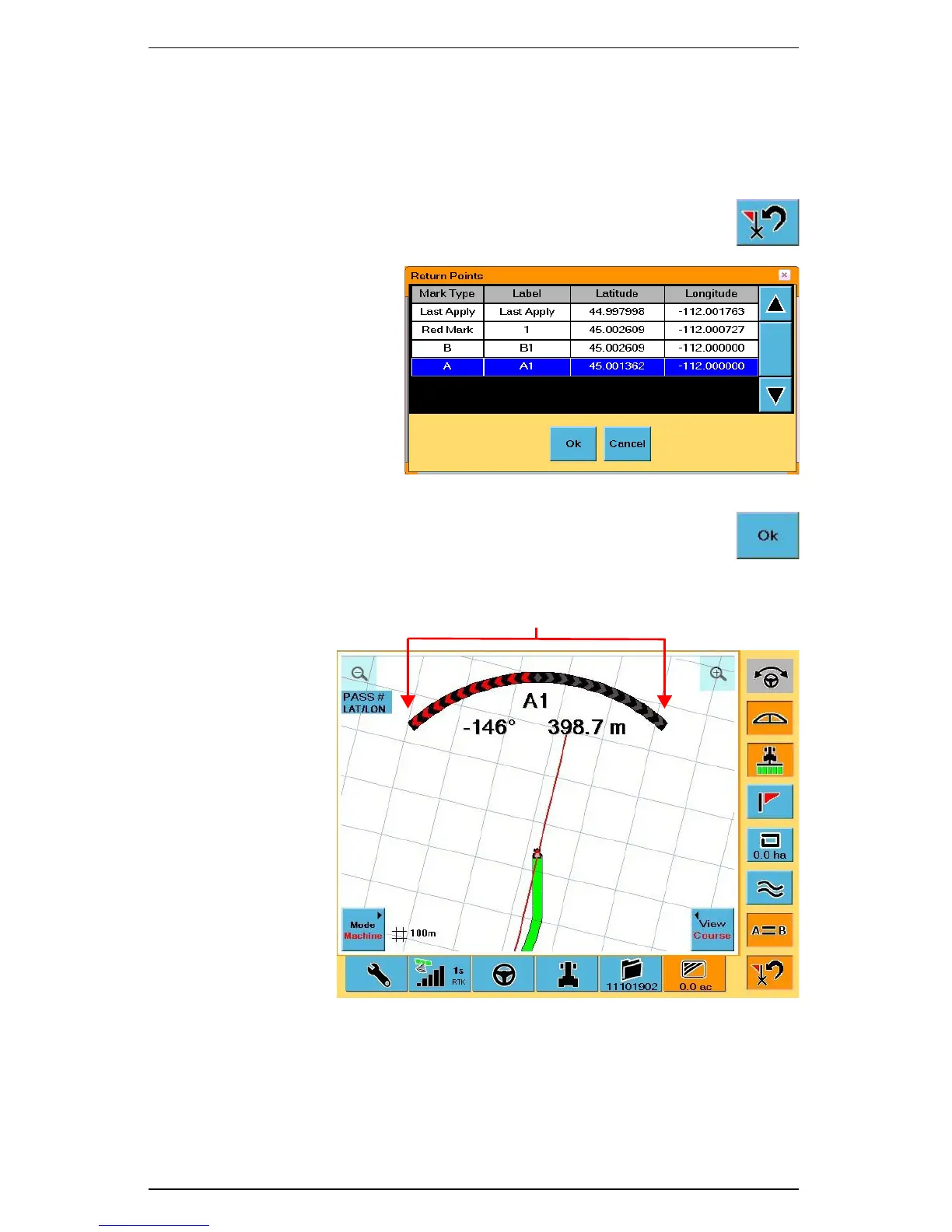
Return to Point Guidance
Return to Point guidance allows you to cancel the current guidance mode and select a
point to which to return.
To select a return point:
1. Touch the Return to Point control button.
The Return Points
window appears.
2. Select a Return Point from the list and touch the Ok button.
The S3 displays the Return to Point Guidance on the Map screen.



 To Next Page