S3 User Guide 58 PN 875-0196-000 Rev C1
Chapter 5: Differential Correction Types
Updating e-Dif
If a job is interrupted and suspended, for hours or days for example, you need to be
able to restart the job at the point (exact location) at which it was suspended. An
update procedure enables you to return to that point and update e-Dif.
You record (and physically mark as a backup) the point at which the job is suspended.
When you are ready to resume the job, you use S3 guidance to return to that point
(which you can confirm with your physical marker). Once at that point, you update the
e-Dif correction and restart where you left off.
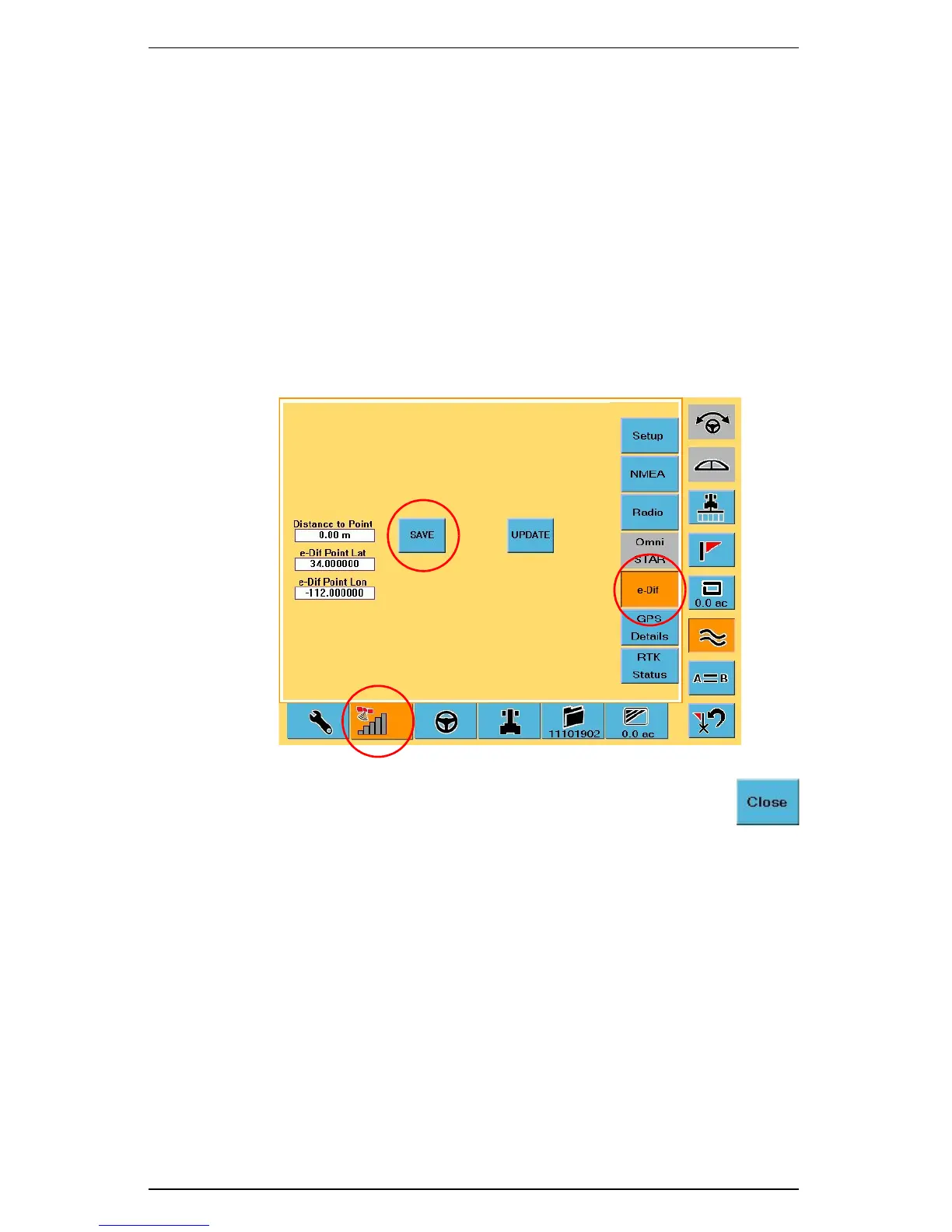
1. At the point at which the job is suspended:
a. Touch the GPS tab.
b. Touch the e-Dif button.
c. On the e-Dif screen touch the Save button. The S3 records the vehicle’s
exact location.
2. Touch the Close button on the Job screen to save the current job.
3. Place a physical marker at the exact location as required
(recommended).
4. When you are ready to resume the job select the job using the Job screen.
See “Loading or Deleting Job Data” on page 45 for how to select a job.
5. Select the Last Spray Point in the Return Points window. See “Returning to a
Previously Recorded Point” on page 36 for more information.
The S3 guides you back to the point where it last logged any job data. Since
it is important to return to the exact physical location, Hemisphere GPS
recommends you use S3 guidance and your physical marker to return to that
exact location.
6. When you reach that exact location (the return point) stop the vehicle and
confirm the S3 is not logging data.
a. Touch GPS tab.
b. Touch e-Dif
button.
c. Touch Save button.


 To Next Page
 Loading...
