S3 User Guide 70 PN 875-0196-000 Rev C1
Appendix C: S3 Screen Description Reference
This appendix provides descriptions of each S3 screen (including descriptions of each
button and field on the screens). Your screens may vary depending on the application
and/or system components (such as eDriveTC/eDriveVSi or eDriveX) being used.
Setup Tab
The Setup tab provides access to the System, Display, and Codes screens.
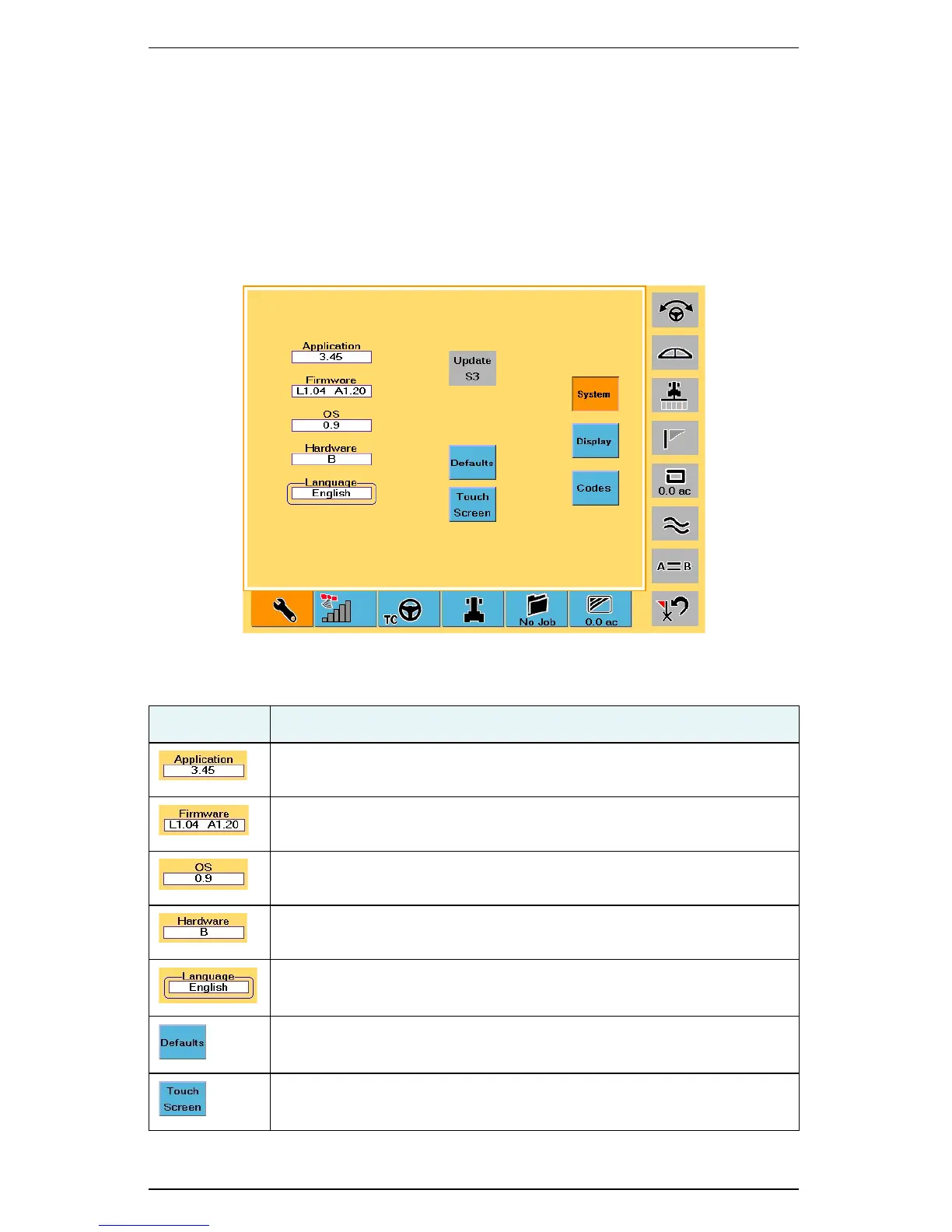
System Screen
Table C-1: System screen button and field descriptions
Button/Field Description
Application field
Version of the application software the S3 system is running.
Firmware field
Version of the firmware the S3 system is running.
OS field
Version of the operating system the S3 system is running.
Hardware field
Hardware version of the S3.
Language field
Language currently in use on the S3.
Defaults button
Restores S3 to default values.
Touch Screen button
Starts the touch screen calibration process.



 To Next Page