S3 User Guide 73 PN 875-0196-000 Rev C1
Appendix C: S3 Screen Description Reference
GPS Tab
The GPS tab provides access to the Setup, NMEA, Radio, L-Band, e-Dif, and GPS
options screens.
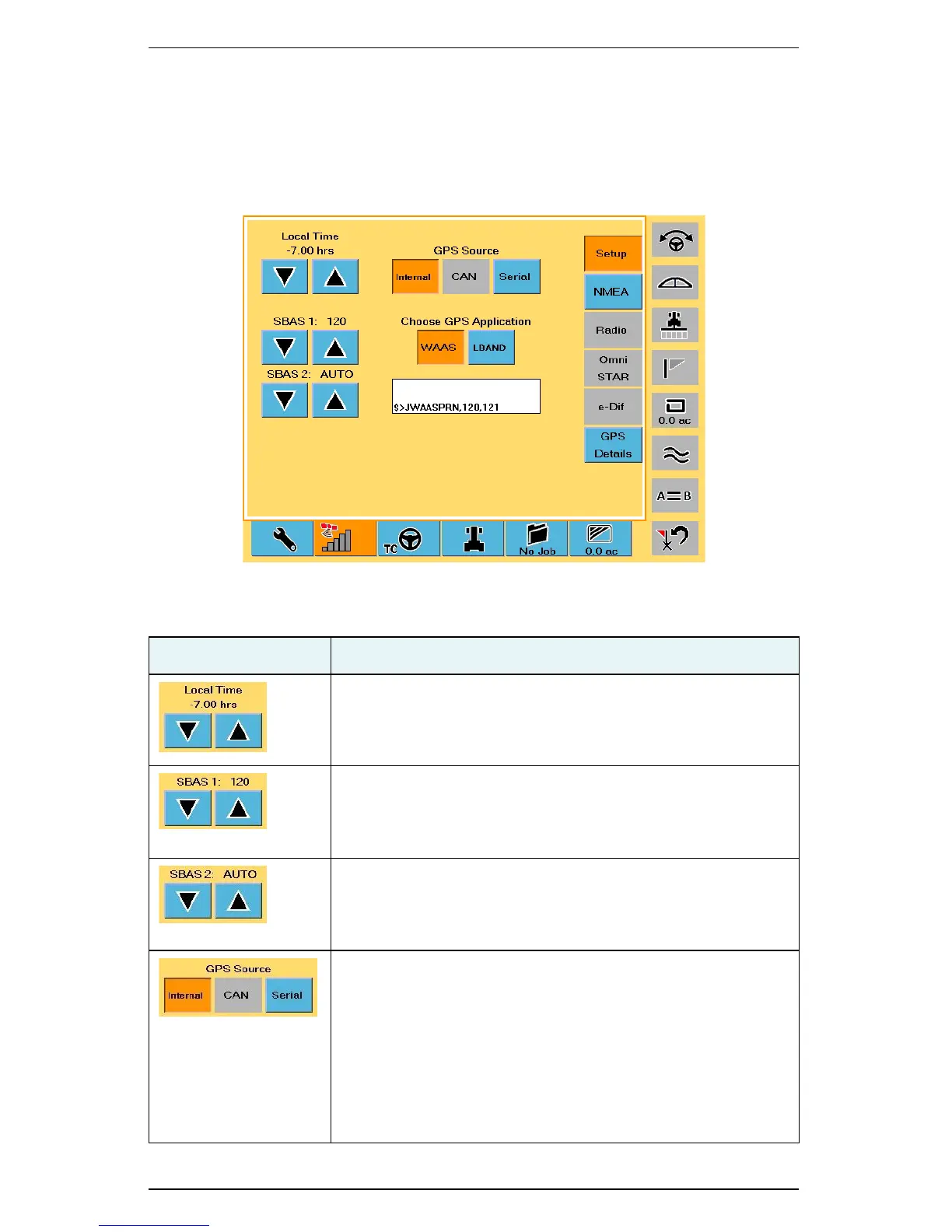
Setup Screen
Table C-4: Setup screen button and field descriptions
Button/Field Description
Local Time buttons
Set the system clock to the local time.
SBAS 1
Change 1 of 2 SBAS satellites used in the system’s position
calculation. The default value is Auto, which allows the S3 to
automatically select from the available satellites.
SBAS 2
Change 2 of 2 SBAS satellites used in the system’s position
calculation. The default value is Auto, which allows the S3 to
automatically select from the available satellites.
GPS Source
Select the GPS source:
• Internal
•CAN
• Serial (S3 uses GPS data from the RS-232 source
instead of from the internal Crescent receiver)
• Radio—see “Radio Screen” on page 75 for more
information on setting radio options



 To Next Page