S3 User Guide 83 PN 875-0196-000 Rev C1
Appendix C: S3 Screen Description Reference
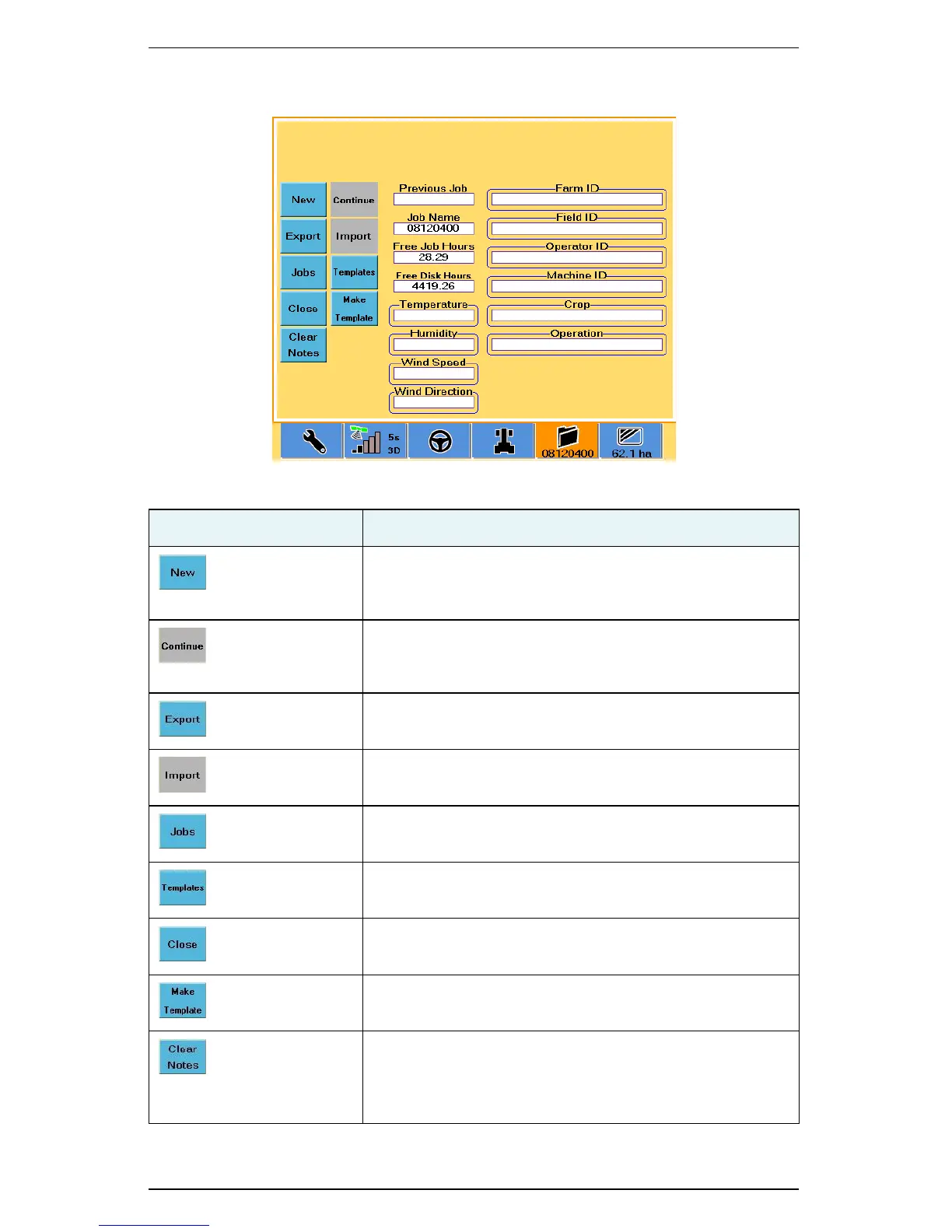
Job Tab
Table C-11: Job screen button and field descriptions
Button/Field Description
New button
Begin a new job. The number in the Job Name field and on
the bottom of the Job tab change.
Continue button
Continue the most recent job. The most recently closed job
(and all its data) is activated.
Export button
Export selected job data to a USB drive.
Import button
Import job data from a USB drive.
Jobs button
Load jobs to or delete jobs from the S3.
Templates button
Load templates to or delete templates from the S3.
Close button
Close and save the current job.
Make Template button
Create a template from a selected job.
Clear Notes button
Clear the contents of all job annotation fields (Farm ID, Field
ID, Operator ID, Machine ID, Crop, Operation, Temperature,
Humidity, Wind Speed, and Wind Direction).



 To Next Page