S3 User Guide 82 PN 875-0196-000 Rev C1
Appendix C: S3 Screen Description Reference
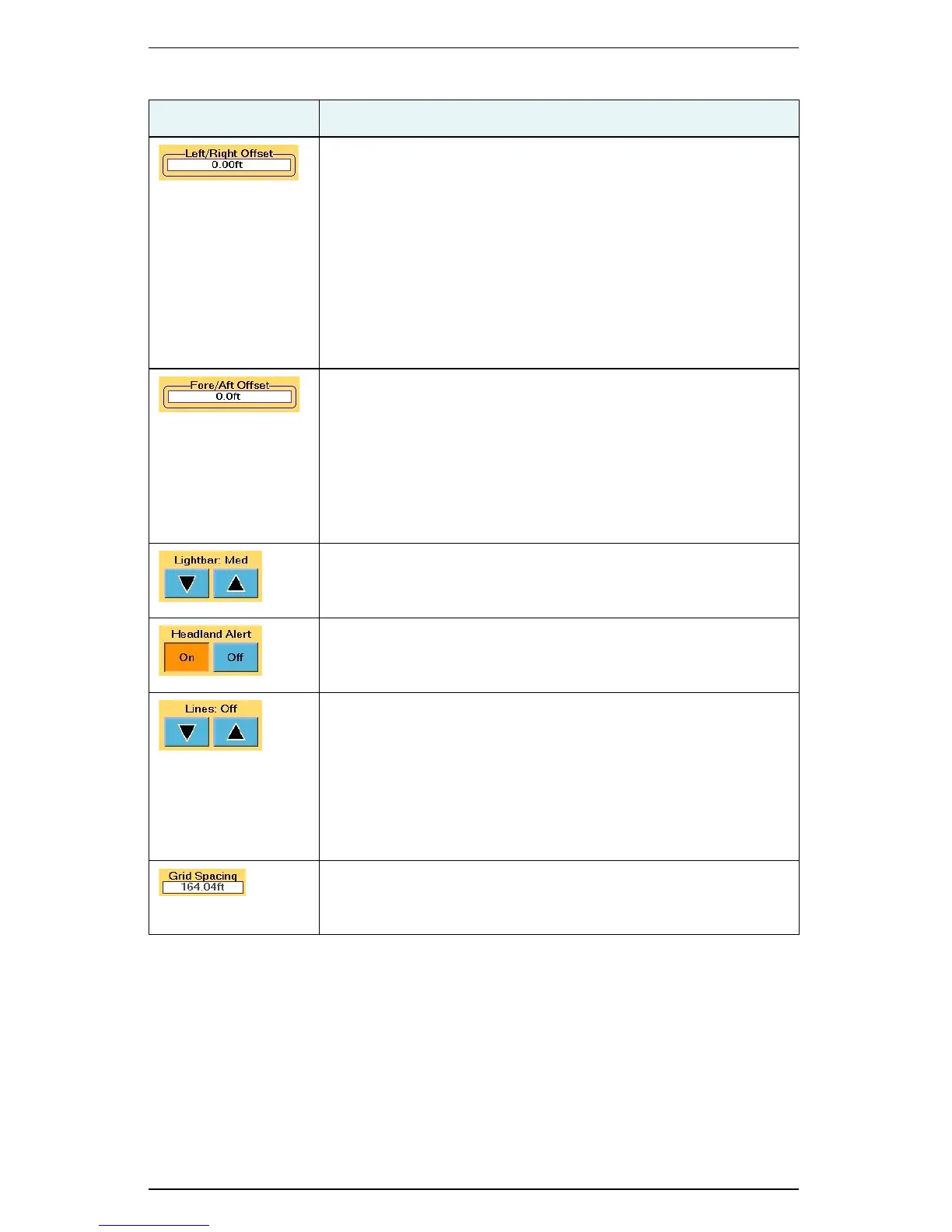
Left/Right Offset
Distance between the GPS antenna centerline and the vehicle or
implement centerline and used to correct for an antenna that is
not installed on the vehicle or implement centerline. Set to the
right or left.
Touch this field to display the Left/Right Offset window where you
touch the appropriate button (Left or Right), enter a value, and
then touch OK. When you touch the Left button or Right button
the Left/Right Offset window visually displays a left offset or right
offset. For an example of setting field values on the S3 see
“Setting the Fore/Aft Offset” on page 23.
Fore/Aft Offset
Fore or aft offset of the antenna from any implement. If the
implement is in front of the vehicle, such as on a harvester, enter
the distance between the implement and the antenna as a fore
offset. If the implement is located behind the vehicle, such as a
drawn planter, enter the distance as an aft offset.
For instructions on setting a fore or aft offset see “Setting the
Fore/Aft Offset” on page 23.
Lightbar
Reaction speed of the virtual lightbar (manual guidance indicator
sensitivity). Set to Low, Med (Medium) or High.
Headland Alert
Notifies you with an audible beep when the machine enters a
previously worked area. Set to On or Off.
Lines
Guidance lines display a regular pattern over an area by which to
guide. There are three line display options available: Off, AB, and
Grid. When Grid is selected the spacing between the pass lines is
equal to the swath width. The distance between the grid lines is
based on the value set in the Grid Spacing field. See “Creating
Guidance Lines” on page 49 for more information on using this
feature.
Grid Spacing
Set the distance between the grid lines on the Map screen. See
“Grid” on page 50 for more information.
Table C-10: Vehicle screen button and field descriptions (continued)
Button/Field Description


 To Next Page
 Loading...
