CHARGING YOUR POWER BANK
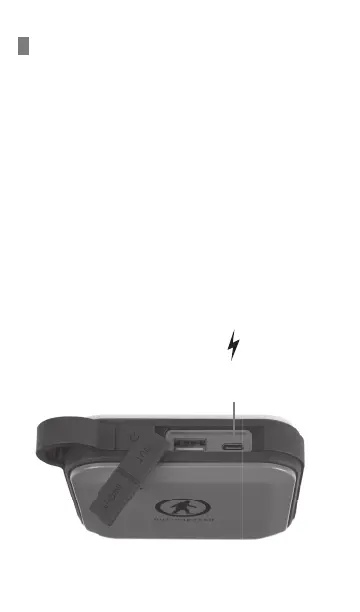
HOW TO CHARGE YOUR FUEL+
1. Plug the included 3-in-1 charge cable into the USB-C
input port of the Fuel+ Power Bank.
2. Insert the other side of the cable into an AC adapter
connected to a wall socket. (Adapters with PD output
is recommended for faster charging)
3. Charging to the battery pack will start automatically
and the LED will start to flash and turn on one by one.
Charging will end automatically when all four LEDs
are solid.
4. Disconnect the adapter and charging cable.
USB-C
input/output port


 To Next Page