BATTERY LEVEL
HOW TO CHECK YOUR BATTERY LEVEL
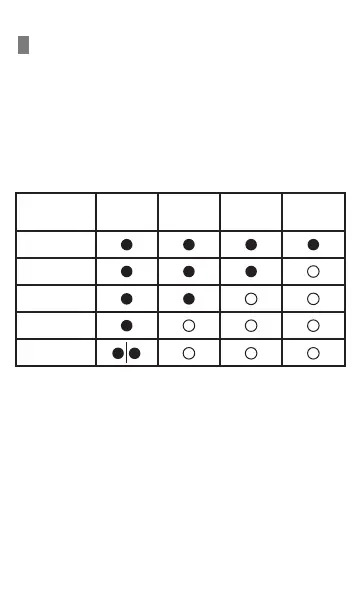
1. Press the power button once the LED indicator lights
will turn on.
2. Depending on the remaining battery level, the LED
indicators will show differently.
3. If there is no device connected after pressing the
power button, LED indicators will turn off in about 30
seconds automatically.
Remaining
Capacity
LED 1 LED 2 LED 3 LED 4
75-100%
50-75%
25-50%
10-25%
0-10%


 To Next Page