CHARGING STUFF
CHARGING YOUR DEVICES
1. Connect your smartphone or other device to the
battery pack with the included 3-in-1 charge
cable. Charging will start automatically.
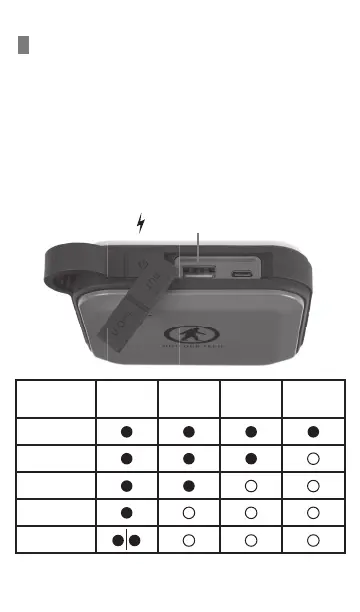
2. While charging a device the battery pack LED
indicators will turn off one by one with
the decrease of the battery level inside.
USB-A output port
Remaining
Capacity
LED 1 LED 2 LED 3 LED 4
75-100%
50-75%
25-50%
10-25%
0-10%
3. When the last LED indicator flashes, charging to
the device will end.


 To Next Page