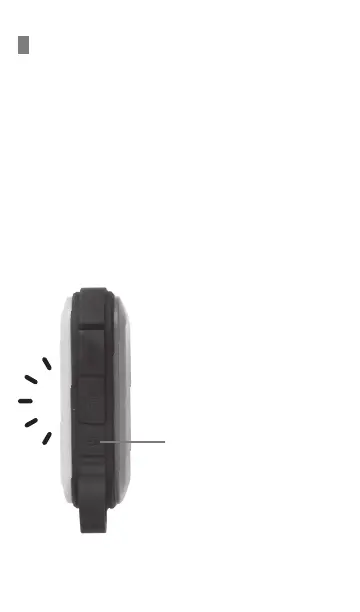
LANTERN MODE
HOW TO USE THE LANTERN
1. Press and hold the power button for 2 seconds, the
LED lantern will turn On/Off.
2. Click once more on the power button for brighter
mode.
3. Press once more while the lantern is in brighter
mode to go into SOS where the lantern starts
flashing.
4. To turn off SOS mode press once more to go back
to normal mode.
PRESS POWER BUTTON:
Press & hold 2 seconds:
ON/Normal Mode
Press again: Bright Mode
Press again: SOS Mode (Flashing)
Press again: Normal Mode
Press & hold 2 seconds:
OFF
Turning on the lantern will increase the temperature of the
power bank, it is not recommended to charge or discharge the
power bank when using the lantern, the input and output will
be protected after reaching a certain temperature.


 To Next Page