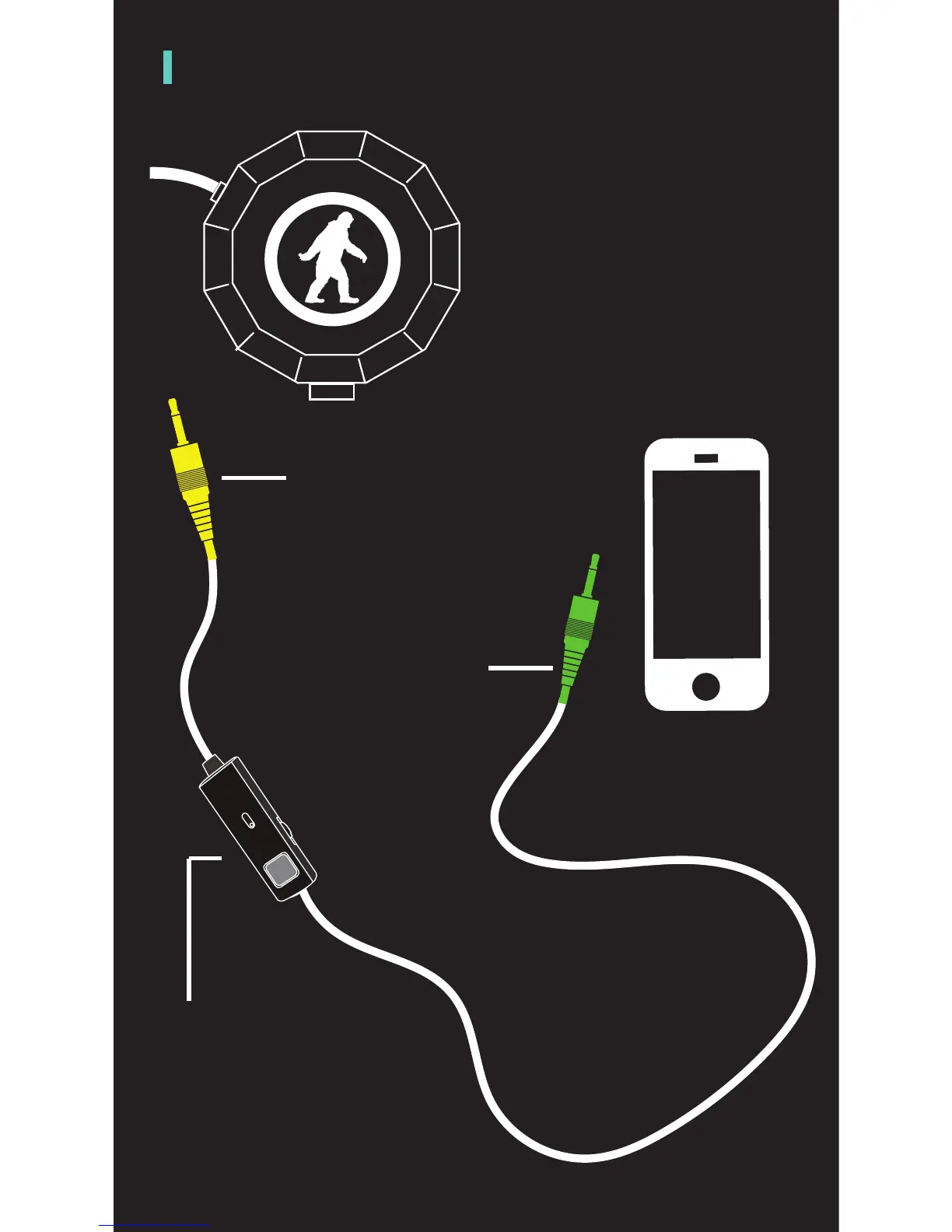
ANATOMY (CONTINUED)
The included 3.5mm cord
has two specific ends
that you must connect
to the Wired Chips® and
your preferred audio
source.
Connect the auxillary jack
into the Left ear speaker.
Plug this end into the
Wired Chips® port.
*You will know its the right
end of the cord based on the
direction of the handsfree
controls.
Plug this end of the
cord into your device.
*The length of the wire from
the handsfree control to
the end that goes into your
device will be significantly
longer than the other length.
The handsfree control will
have the same capabilities
for functions/actions as the
Right ear speaker button.


 To Next Page