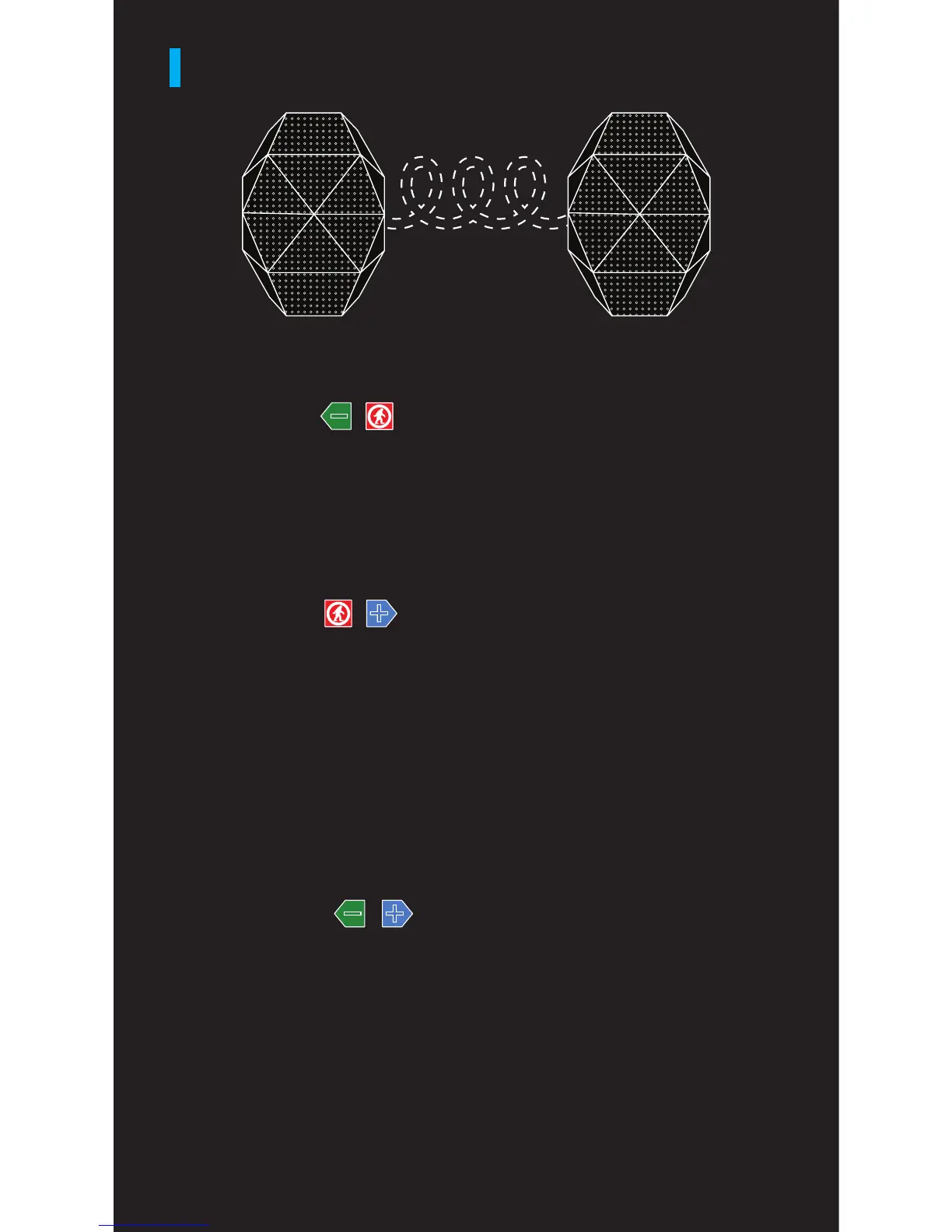
DUAL PLAY SPEAKER PAIRING
STEP ONE
Turn on TS 3 #1 and wait until the voice prompt states
that the speaker is on. Then press & hold the “-” and
MFB buttons simultaneously. The Blue LED on the
TS3 #1 will ash 3X then pause and repeat when it’s
in speaker to speaker paring mode.
TS3 #1 TS3 #2
STEP TWO
Turn on TS3 #2 and wait until the voice prompt states
that the speaker is on. Then press & hold the “+” and
MFB buttons simultaneously. The Blue LED on the
TS3 #2 will ash 3X then pause and repeat when it’s in
speaker to speaker pairing mode.
STEP THREE
After a few seconds both the TS3 #1 and TS3 #2 will
state “Paired.”
STEP FOUR
Press & hold the “-” and “+” plus buttons simultaneously
for 2-3 seconds on TS3 #1. The blue LED will flash
3X then pause and repeat and state “paring” when
in speaker to device pairing mode. Open the
Bluetooth settings on your device and select ODT
Turtle Shell 3.0.
For more functions, go to outdoortech.com/apps
to download the Outdoor Tech app.


 To Next Page