16
Playing Content
Order of playing Loop
Example: if a folder contains an image file and two video files in the following
(alphabetical) order:
car.jpg
discount.mpeg
top.mpeg
The Tablet will first display the car.jpg image for three seconds (default), then play
the discount.mpeg video, followed by the top.mpeg video.
If the Tablet is in ON mode, it will then repeatedly play this sequence in a loop. If
the Tablet is in Standby mode, it will go back to Standby Mode (black screen) after
playing each item only once.
USB – Loading Content
To load Content from a USB drive into Folder 0:
Create a folder named 0 in the root directory of a USB disk. Remove all other content
from the USB drive.
When content is playing (video, Image, Application), insert the USB drive into one of
the two USB ports on the back of the Tablet. After ten seconds, quickly press the On/
O button on the back of the tablet.
After a few seconds a window pops up requesting a password.
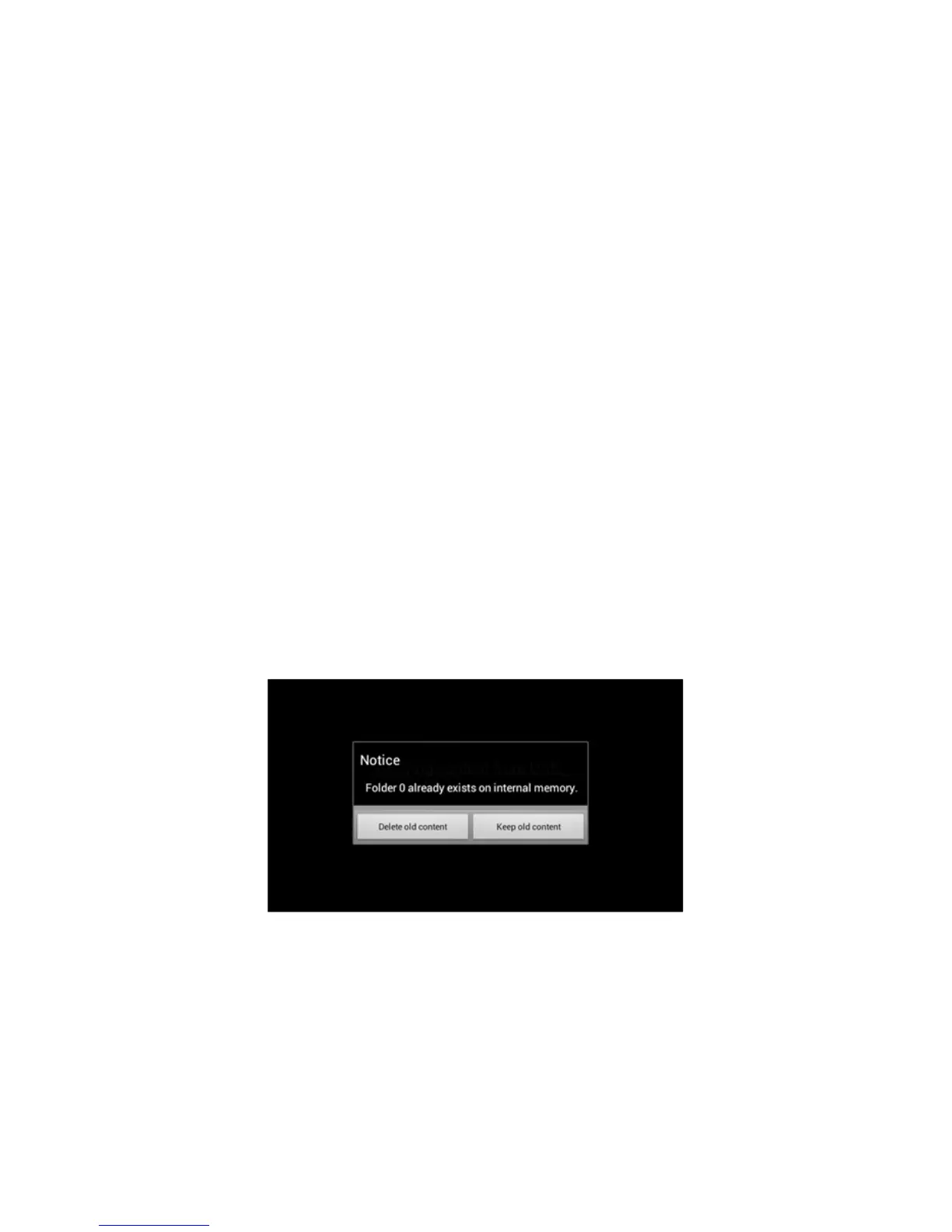
Enter the password and tap the OK button. If this is the first time you are using the
iDISPLAY Tablet, then the password is: 11223344. The following window is displayed:
n play the discount-car.mpeg video and then play the top-of-range.mpeg video.
If the tablet is in ON mode, it will then repeatedly play this sequence in a loop. If the
tablet is in Standby mode, it will then go to standby (black screen).
•
•
•
1.
2.
3.


 To Next Page