No. Description
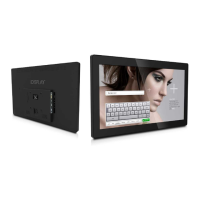
1. Power Indicator
2. Front camera
3. Multi-Touch Screen (5 Point)
4. Bracket Screws for Attaching Multiple VESA Options
5. Hot-Shoe Connectors for Add-On Accessories
6. On/O Button (also serves as a Back and Home button)
7. DC In – Power Input
8. USB Port 1 (can be switched between Host & Device Mode)
9. Micro SD port for playing content
10. Full-size HDMI connector for connecting the tablet to a larger screen
11. Standby On switch
12. 3G/4G/LTE Micro SIM Card Slot
13. Brightness Control
14. USB 2
15. Headphone Jack (with Audio Out and Mic In)
16. Volume Control
17. PB-Molex connector for Optional Connect Box, Push Buttons, or Motion
Sensor
18. PCIe slot for 3G/4G/LTE Wireless Data Modem
Introducing the iDISPLAY Tablet 7”
9
LEGEND:


 To Next Page