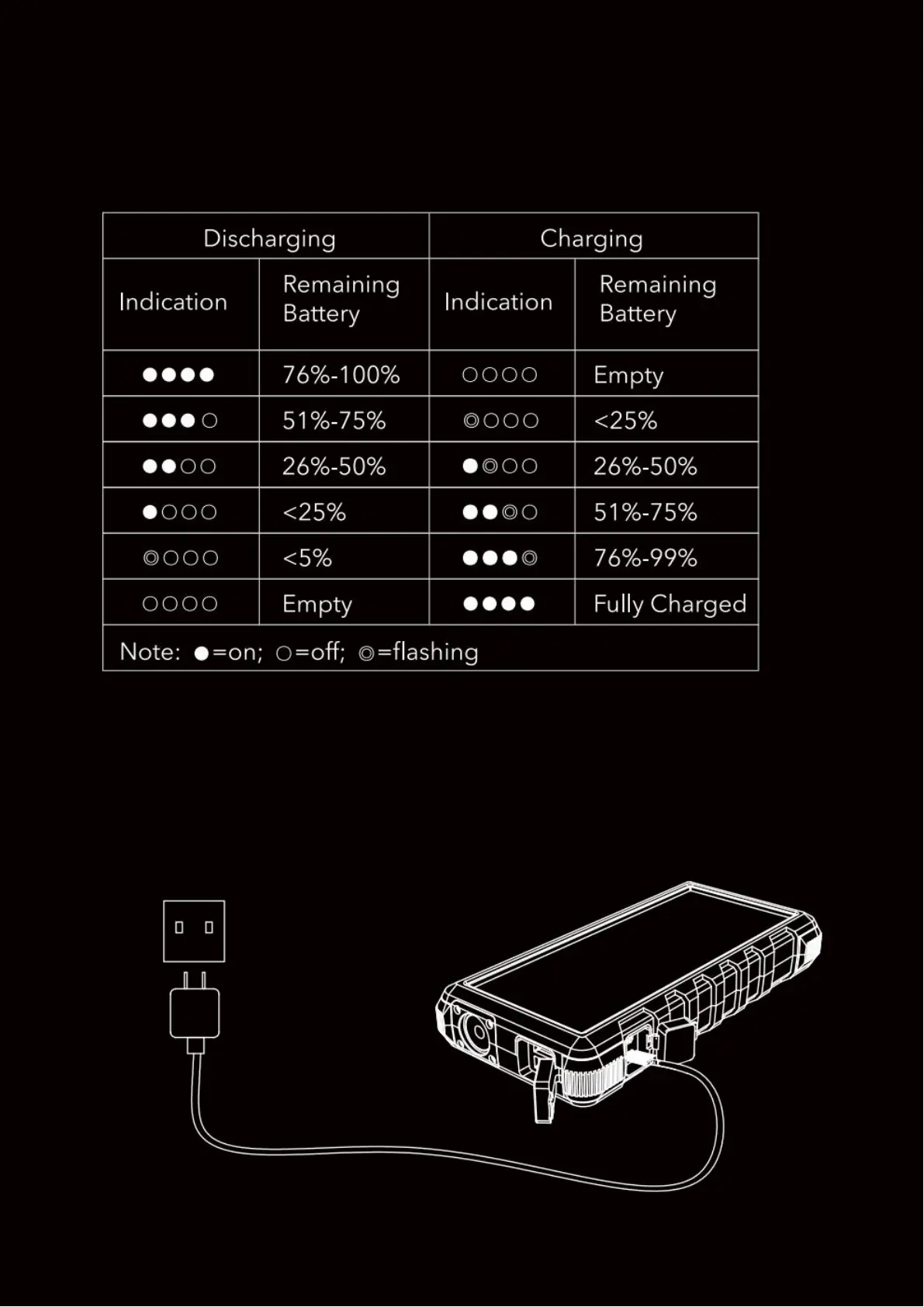
Indicator Instructions
This power bank has 4 LED indicators. If there’s only one indicator
left to flash, please charge the power bank.
How to Charge the Power Bank
Connect the power bank to a charger (Output: DC 5V 0.5A~3A),
Using the supplied USB charging cable. All indicators will stay lit
when the charging is finished.


 To Next Page