Need help?
Do you have a question about the Overland Storage SnapServer 210 and is the answer not in the manual?
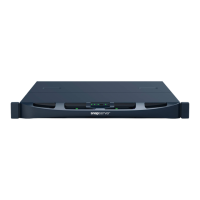
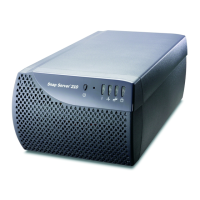
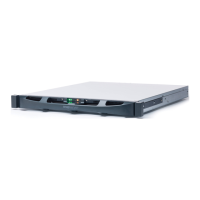
Details on the server's power button, reset button, and status indicator LEDs.
Information on Ethernet ports, USB ports, and power connectors for network and peripheral connections.
Description of the power supply unit and the included power cables for different regions.
Overview of the Ethernet cable, security lock connector, and bundled Quick Start Guides/User CDs.
Check the shipping kit for all necessary components before installation.
Instructions for connecting the Ethernet cable, power supply, and power cord.
Procedure to power on the server and wait for initialization.
Steps to find the server name and access it via a web browser.
Procedure to assign an IP address using Snap Server Manager if automatic assignment fails.
Instructions to launch the administration tool and log in.
How the Snap Server appears on the network and its function for storing files.
Information on how to get technical support via website or knowledge base system.
Guidance on how to locate and connect to the Snap Server from Windows, Macintosh, and NFS.
 General
| Network Interface | Dual Gigabit Ethernet |
|---|---|
| Operating System | GuardianOS |
| Form Factor | Desktop |
| Hard Drives Supported | SATA |
| Number of Bays | 2 |
| USB Ports | 2 x USB 2.0 |
| Storage Capacity | Up to 8TB |
| RAID Levels | 0, 1, 5, 10 |
| Protocols | CIFS/SMB, NFS, AFP, HTTP, HTTPS, FTP, iSCSI |

 To Next Page